Forallenquiriespleasevisitwww.proroute.co.uk
Step2:runtheTCPservertool.
Createserver,hereourserverisalocalnetworkPCwithIP192.168.1.102andport10001.
AndwemakeaDMZorNATforthisIPandportfromthelocalrouterconnectedtointernetwith
IP27.38.13.57.
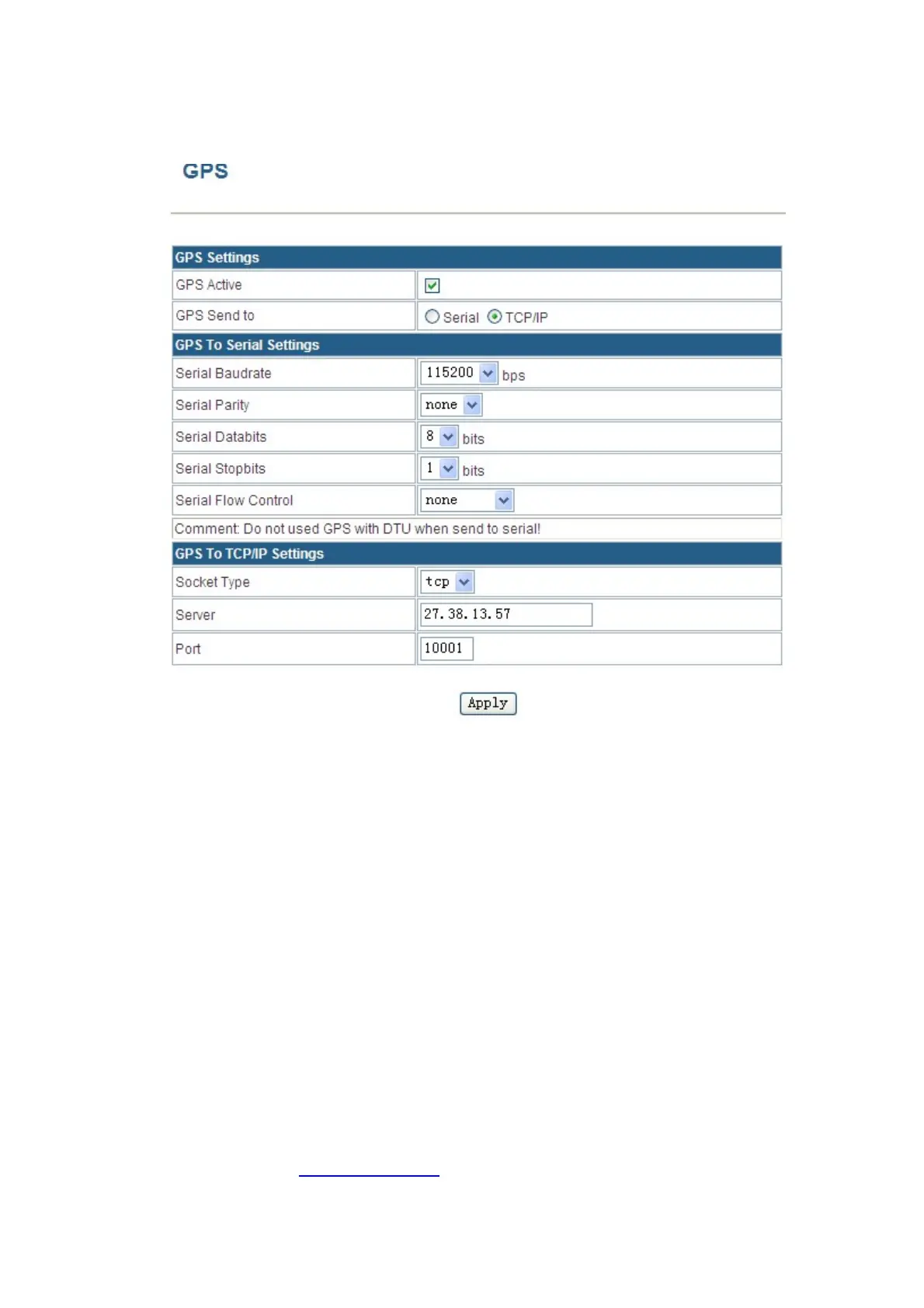
IntherouterGPS
configuration,wefillin“27.38.13.57”andport“10001”.


 To Next Page