Forallenquiriespleasevisitwww.proroute.co.uk
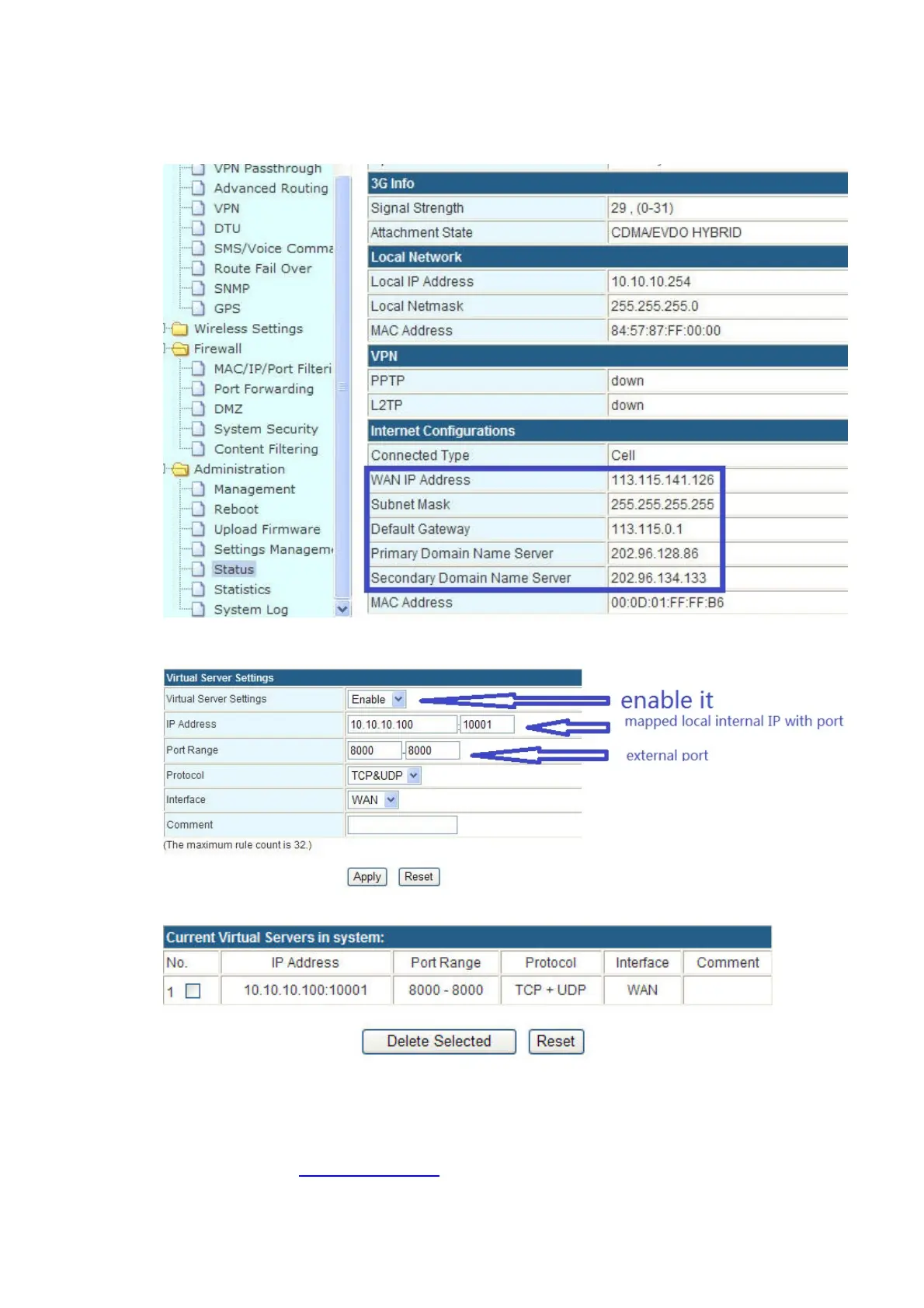
Step2)configuretheportforwardingfeatureforProrouteH685
ClickApplyButtontofinishthesetting.Itwillshowtheresultinthefollowingpicture.
Step3)HerewetakeaPCtobeusedasaTCPserver/RemoteDevice.
ConnectthePCtoProrouteH685LAN
portviaRJ45cable.AnditgetsanIP10.10.10.100.


 To Next Page