Setupmenuoperation- Settingsmenuoption
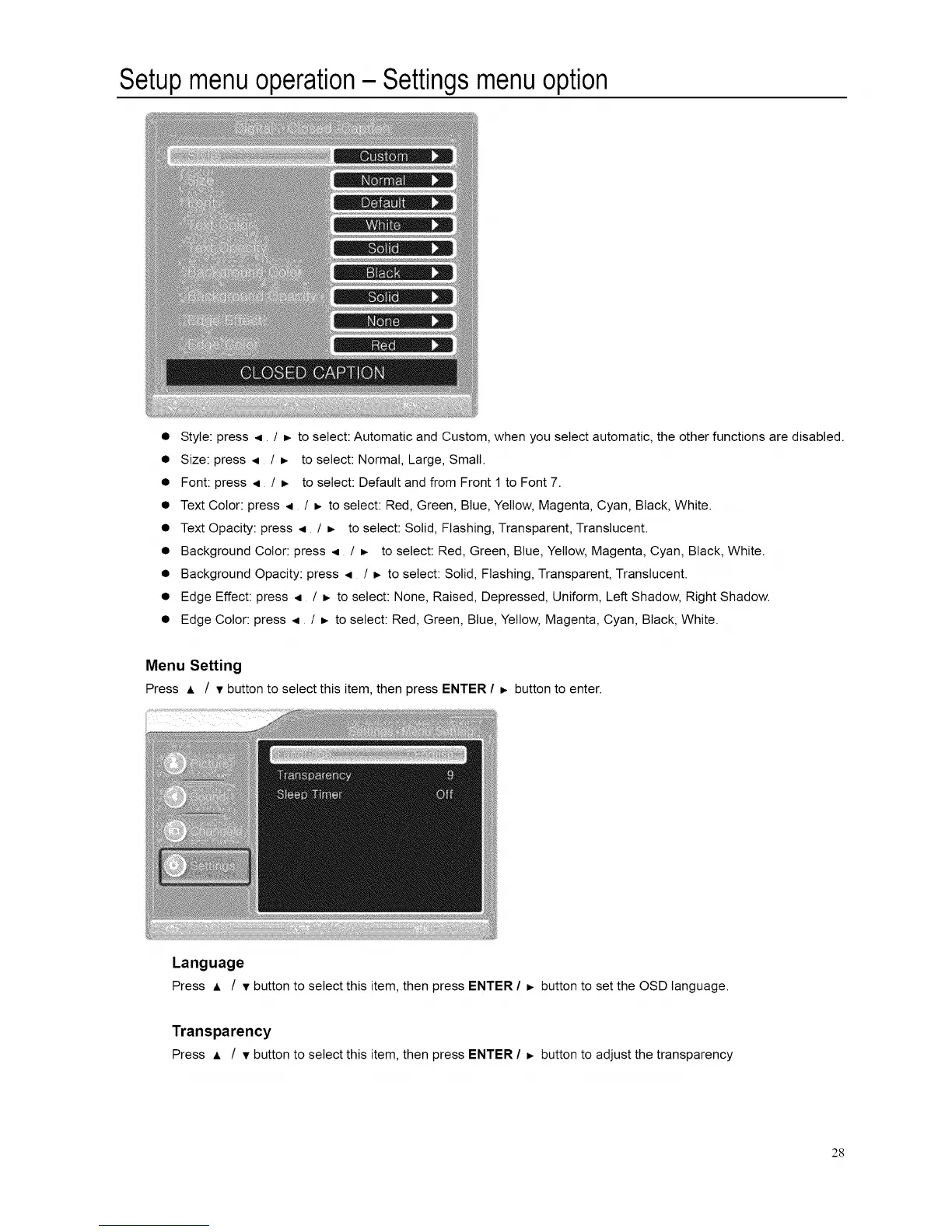
• Style: press < / _ to select: Automatic and Custom, when you select automatic, the other functions are disabled.
• Size: press < / _ to select: Normal, Large, Small.
• Font: press < / _- to select: Default and from Front 1 to Font 7.
• Text Color: press < / b. to select: Red, Green, Blue, Yellow, Magenta, Cyan, Black, White.
• Text Opacity: press < / _ to select: Solid, Flashing, Transparent, Translucent.
• Background Color: press < / _ to select: Red, Green, Blue, Yellow, Magenta, Cyan, Black, White.
• Background Opacity: press < / b. to select: Solid, Flashing, Transparent, Translucent.
• Edge Effect: press < / _ to select: None, Raised, Depressed, Uniform, Left Shadow, Right Shadow.
• Edge Color: press < / _. to select: Red, Green, Blue, Yellow, Magenta, Cyan, Black, White.
Menu Setting
Press A / v button to select this item, then press ENTER / _, button to enter.
Language
Press A / v button to select this item, then press ENTER / _, button to set the OSD language.
Transparency
Press A / v button to select this item, then press ENTER / _, button to adjust the transparency
28














 To Next Page