MVI56E-MCM ♦ ControlLogix Platform Diagnostics and Troubleshooting
Modbus Communication Module User Manual
ProSoft Technology, Inc. Page 95 of 209
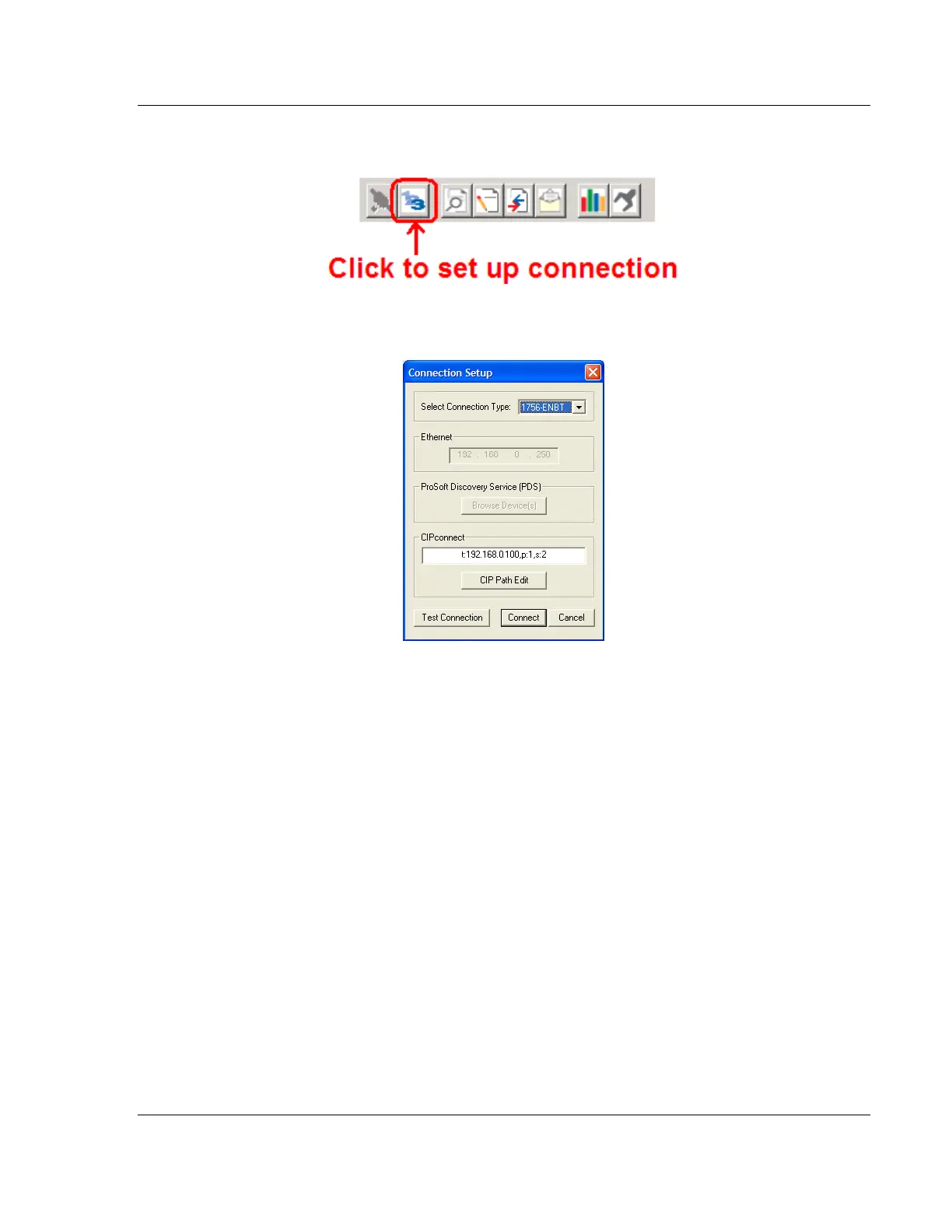
3 In the Diagnostics window, click the SET UP CONNECTION button.
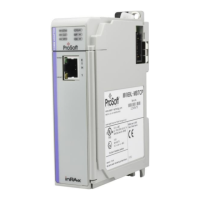
4 In the Select Connection Type dropdown list, choose 1756-ENBT. The
default path appears in the text box, as shown in the following illustration.


 To Next Page