STEP 5: TURN ON UPS
Press button on the front panel for two seconds to power on the UPS.
Note: The battery charges fully during the first five hours of normal operation. Do not
expect full battery run capability during this initial charge period.
STEP 6: INSTALL SOFTWARE
For optimal computer system protection, install UPS monitoring software to fully configure UPS
shutdown. You may insert provided CD into CD-ROM to install the monitoring software. If not, please
contact your local service to offer the software.
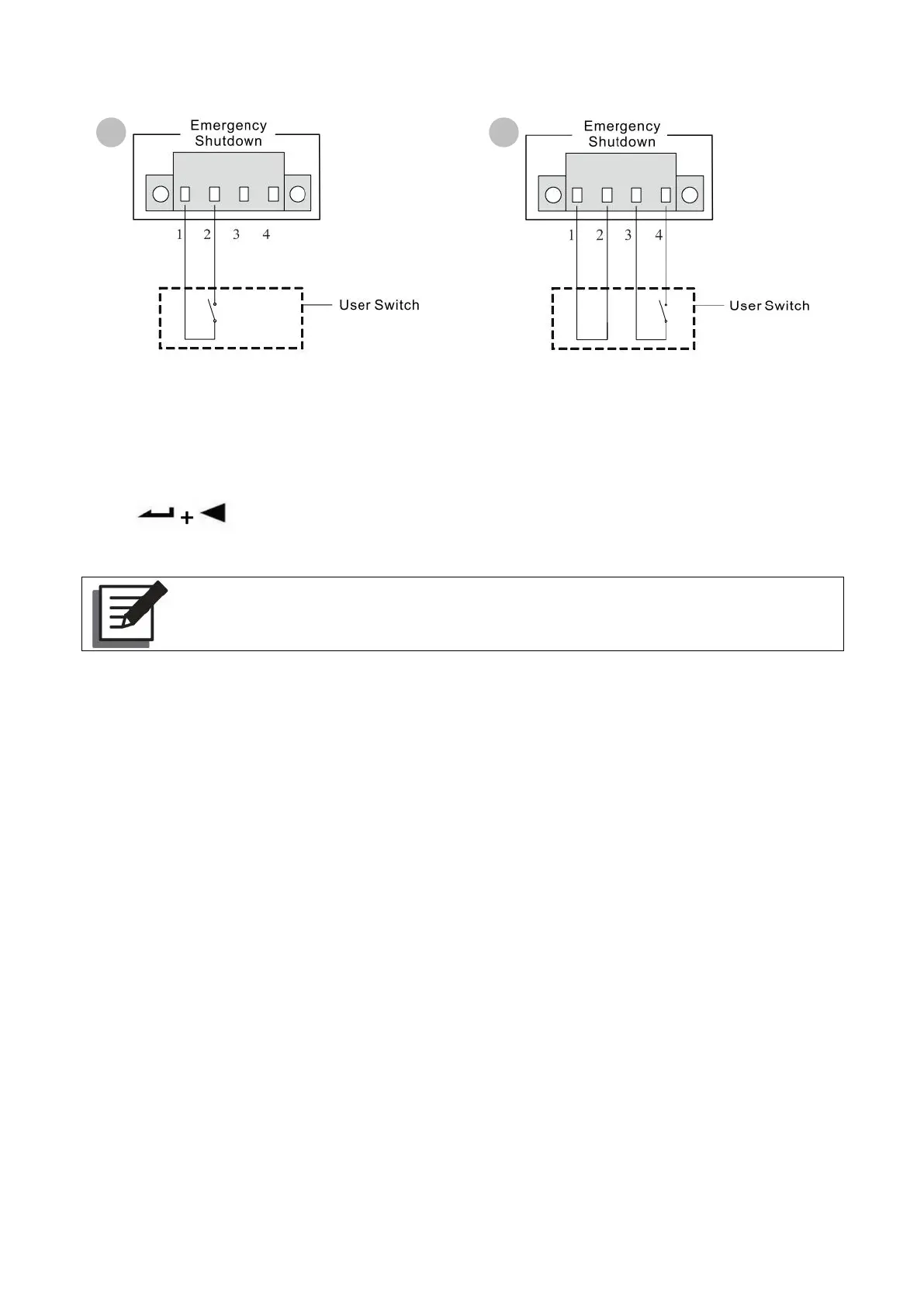
Pin 1 closed to pin 2, UPS shutdown
immediately. Pin 3 and pin 4 float.
Pin 1 and pin 2 are always connected.
When pin 3 and pin 4 disconnected, UPS
shutdown immediately.



 To Next Page