N 93-531-79 ISSUE 1 NH Page 15 of 32 © Protec Fire Detection PLC 2012
9.0 Creating a Site File
9.1 Creating a Blank Site File
When starting from scratch a blank ( default ) site file must be used. This site file contains default values for
relevant elements of the site data.
To create a blank site file click
File -> New
then select ‘Yes’ when the program requests to Delete Current Settings. A default site file will be loaded into
the program.
9.2 Creating a Site File Using the Loop Commissioning Booklet
In some cases it is advantageous to build the site file remotely from the panel ( a site file can be prepared
before visiting site if loop device data, matrix and associated text is known before hand ).
All Protec loop devices are supplied with two manufacturing barcode labels. During installation one label
remains on the device and the other is removed from the device and affixed at the relevant loop address in
the 6100 Loop Commissioning Booklet. This then links the device to a loop address.
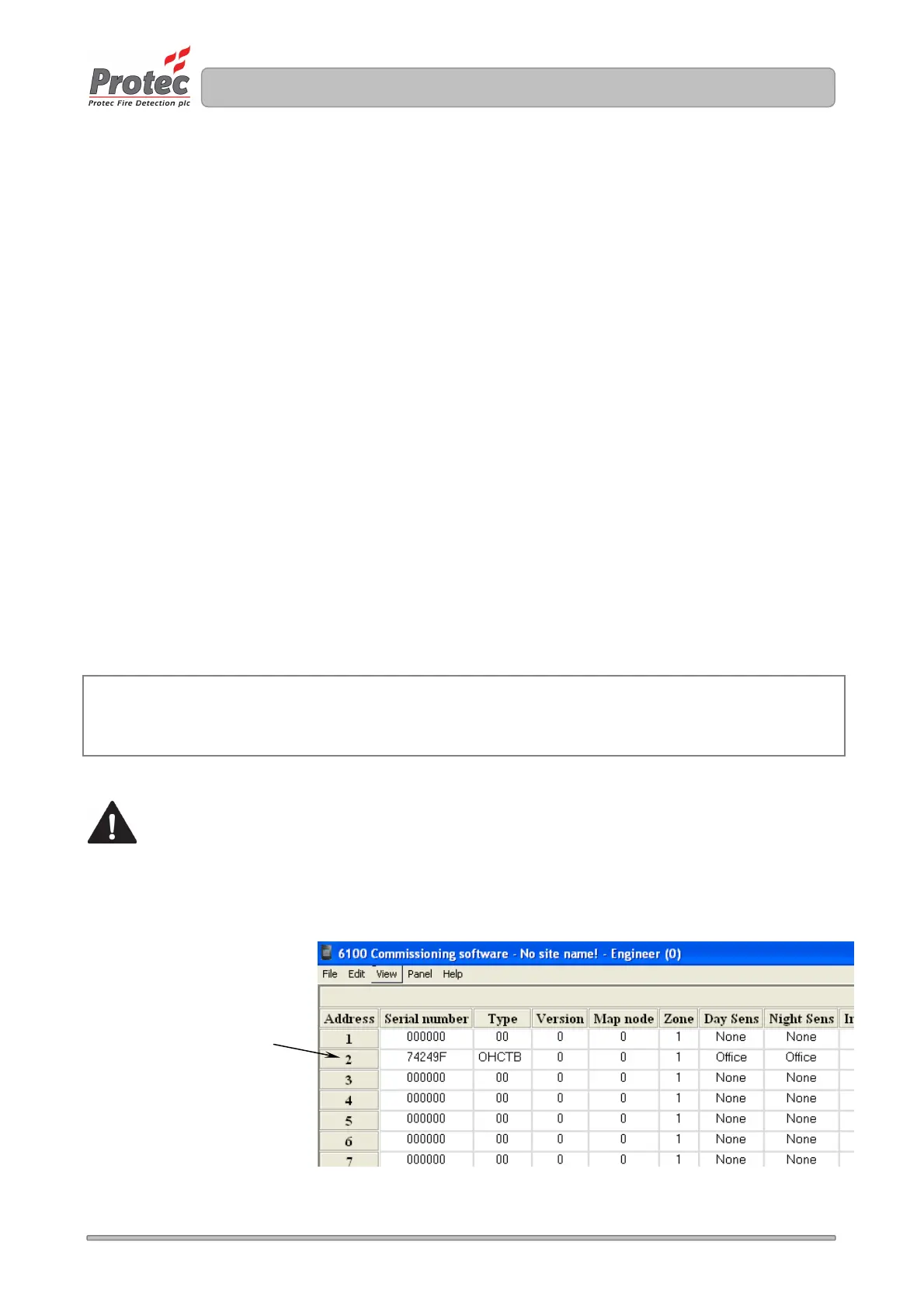
In the Edit -> Device Editor window of the commissioning software the 6100 Loop Commissioning Booklet
is then used in conjunction with a barcode scanner to scan the address number in the booklet followed by
the loop device data. This device data is then stored at the relevant address. See figure 9.0.
The extra device parameters ( input group, output group, class etc. ) can be edited at this point if desired.
Tip
Devices with more than one serial number ( 16 way products, for example ) may be entered by repeated
scanning of the serial number barcode, the 6100 commissioning software will automatically increment the
address and serial number on each scan.
Note that when using this method the software version and map node for the loop device are not
read from the barcode label ( the site file is incomplete ).
When all devices have been scanned in from the Loop Commissioning Booklet the site file must be
downloaded into the 6100 and the loop logged and mapped, at this point the software version and
map node are added to the site file ( it becomes a complete site file ) and it must be uploaded from
the 6100 for backup purposes.
Figure 9.0
Example of device serial
number 0x74249F allocated
at address 2.



 To Next Page