N 93-531-79 ISSUE 1 NH Page 26 of 32 © Protec Fire Detection PLC 2012
13.10 Programming Day and Night Sensitivity Times
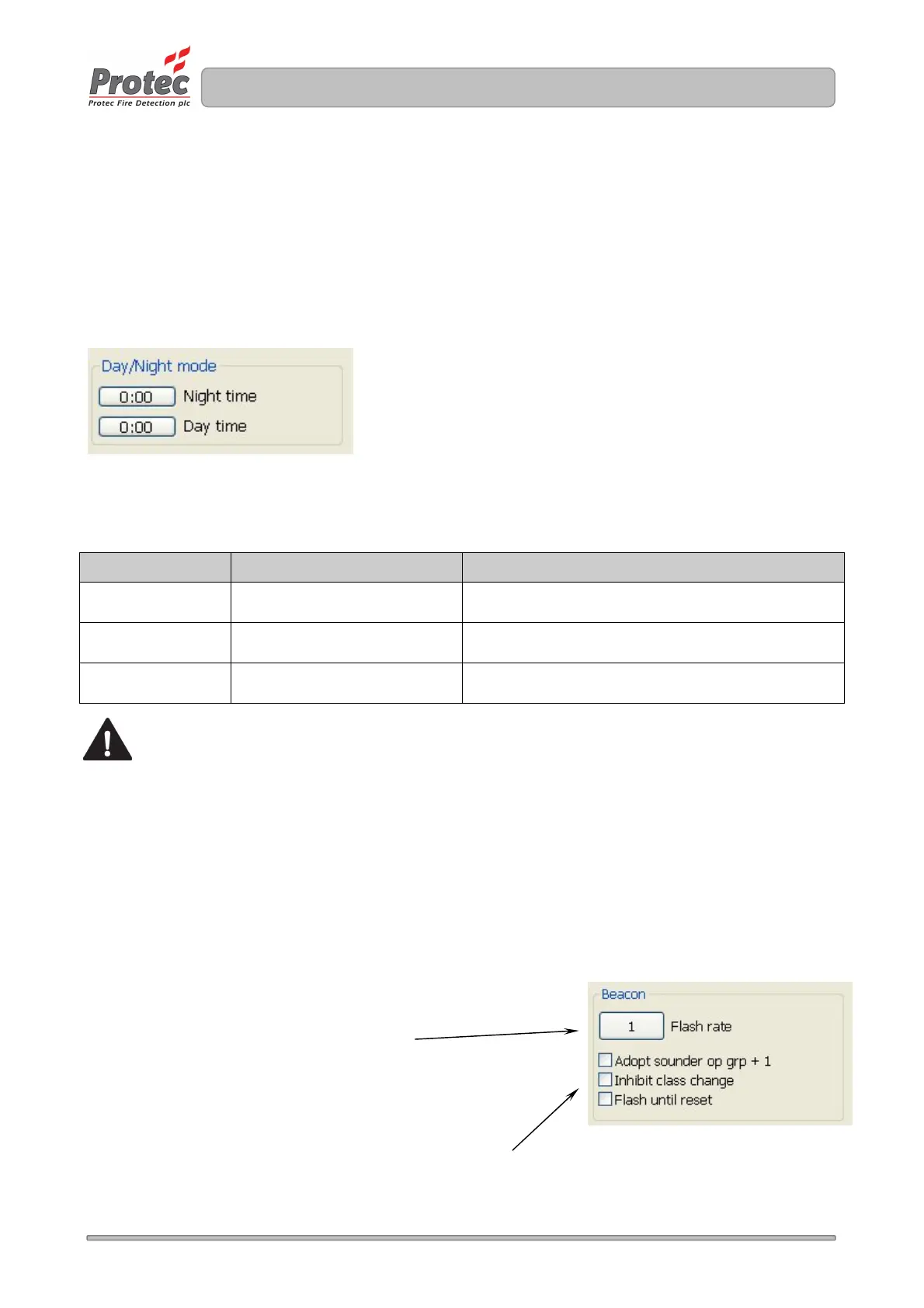
The 6100 can switch automatic detector sensitivities ( a Day and Night sensitivity can be setup for each
automatic loop device ). The times are setup in the Day / Night mode option, as illustrated in figure 13.3.
Both times are entered in 24 Hour format. The Night time is when the 6100 switches to running Night
sensitivity for automatic loop devices and the Day time is when the 6100 switches back to running Day
sensitivity. Setting both times to 0:00 means the 6100 runs Day sensitivity all the time.
Figure 13.3
13.11 Programming Remote Alarm Operation
The ‘Remote Alarm’ input on the 6100 PCB has multiple uses. It can be enabled as Remote Alarm or
enabled to control Day / Night sensitivity switching.
‘Remote Alarm Input’
option selected
‘Remote Alarm Input operates
Day/Night selection’ option selected
Result when Remote Alarm input on PCB is activated
Disabled Disabled Disabled – no effect
Disabled Enabled
Operates as Day / Night Input. Activation of input
selects Night mode, otherwise Day mode is used.
Enabled Disabled
Operates as Remote Alarm Input. Activation of input
generates a Remote Alarm trigger.
Note that if Remote Alarm operation is enabled input group 31 is used and cannot be re-used
for loop devices.
13.12 Programming Class Change Operation
To enable Class Change operation the Class Change Input option should be selected. Input group 30 is
used for class change programming and cannot be re-used for loop devices.
If Class Change is not enabled operation of the Class Change input on the 6100 PCB will have no effect.
13.13 Programming Loop Beacon Operation
The 6100 supports synchronised loop controlled beacons, the operation of them can be programmed using
the ‘Beacon’ section, as shown in Figure 13.4.
Figure 13.4.
The beacon flash synchronisation
rate can be setup here. The
default is 1 second
Setting the Adopt sounder op grp + 1 feature means the beacon
of a loop sounder/beacon automatically adopts the next output
group to the sounder.
Setting Inhibit class change stops loop beacons from activating
during a class change activation.
Setting Flash until reset prevents beacons from stopping on a
silence, a reset is required.



 To Next Page