N 93-531-79 ISSUE 1 NH Page 22 of 32 © Protec Fire Detection PLC 2012
12.0 Entering Device, Zone and Panel Text
The 6100 can store 20 characters of text per loop address, 20 characters of text per zone and two lines of 20
characters for the panel text.
To enter or edit text use the Edit->Text editor option.
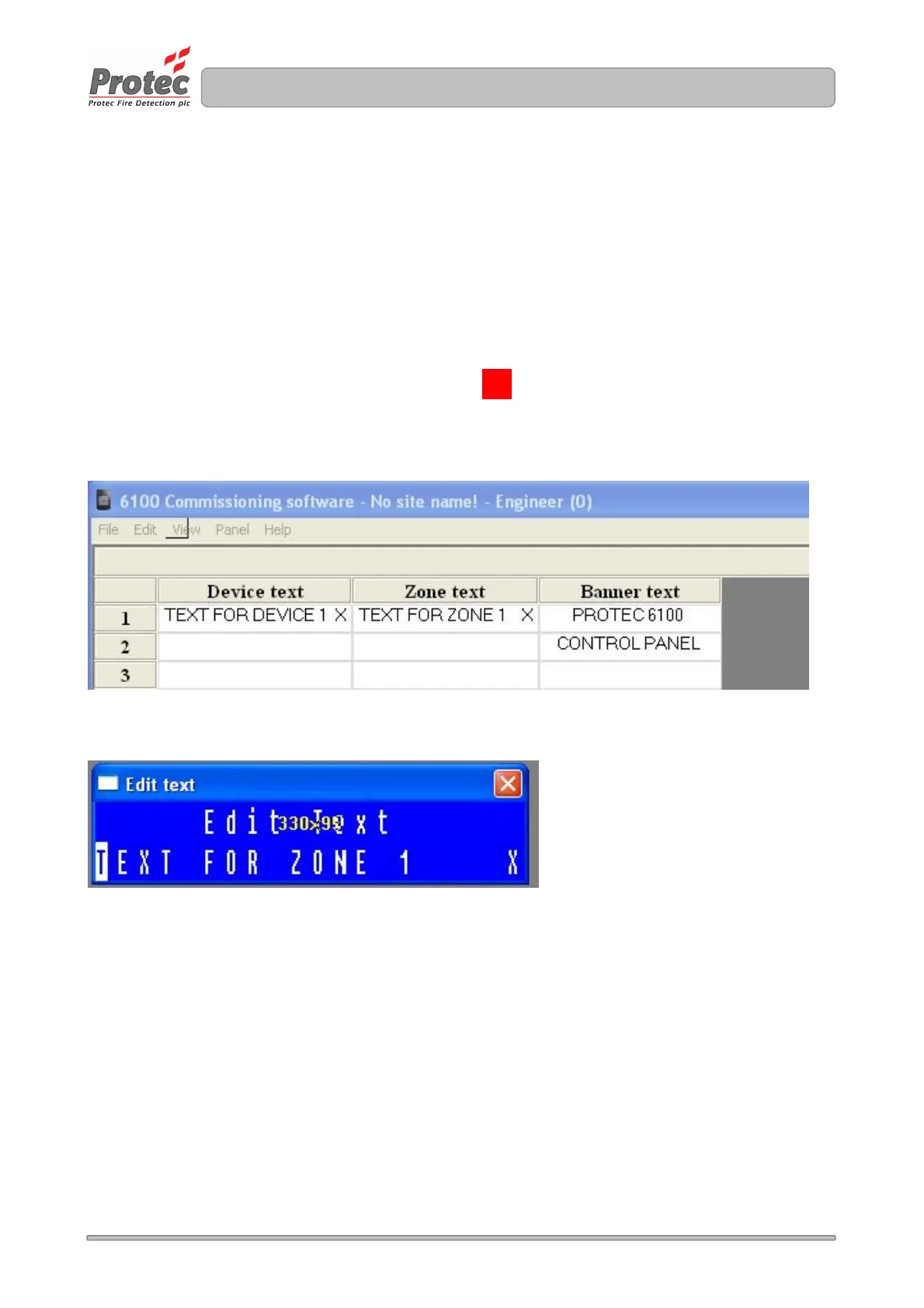
The text editor window is displayed showing device, zone and panel text. Figure 12.0 illustrates the window
showing text for address 1, zone 1 and the panel text ( 2 lines ).
To edit text double click on the relevant text cell, the program will load a text editor box ( shown in
Figure 12.1 )
Type the required text into this box and then click on the in the top right corner of the text editor box.
The text is then stored in the relevant text cell.
Figure 12.0
Figure 12.1
X



 To Next Page