N 93-531-79 ISSUE 1 NH Page 19 of 32 © Protec Fire Detection PLC 2012
11.0 Programming Cause and Effect Sequences ( Matrix )
Cause and effect sequences are setup by relevant programming of the 6100 matrix. To enter the matrix
editor follow Edit -> Matrix editor.
A window will open showing a matrix of input groups ( down the left hand side of the window ) and output
groups ( along the top of the window ).
11.1 Setting up the Output Group Activation Tone
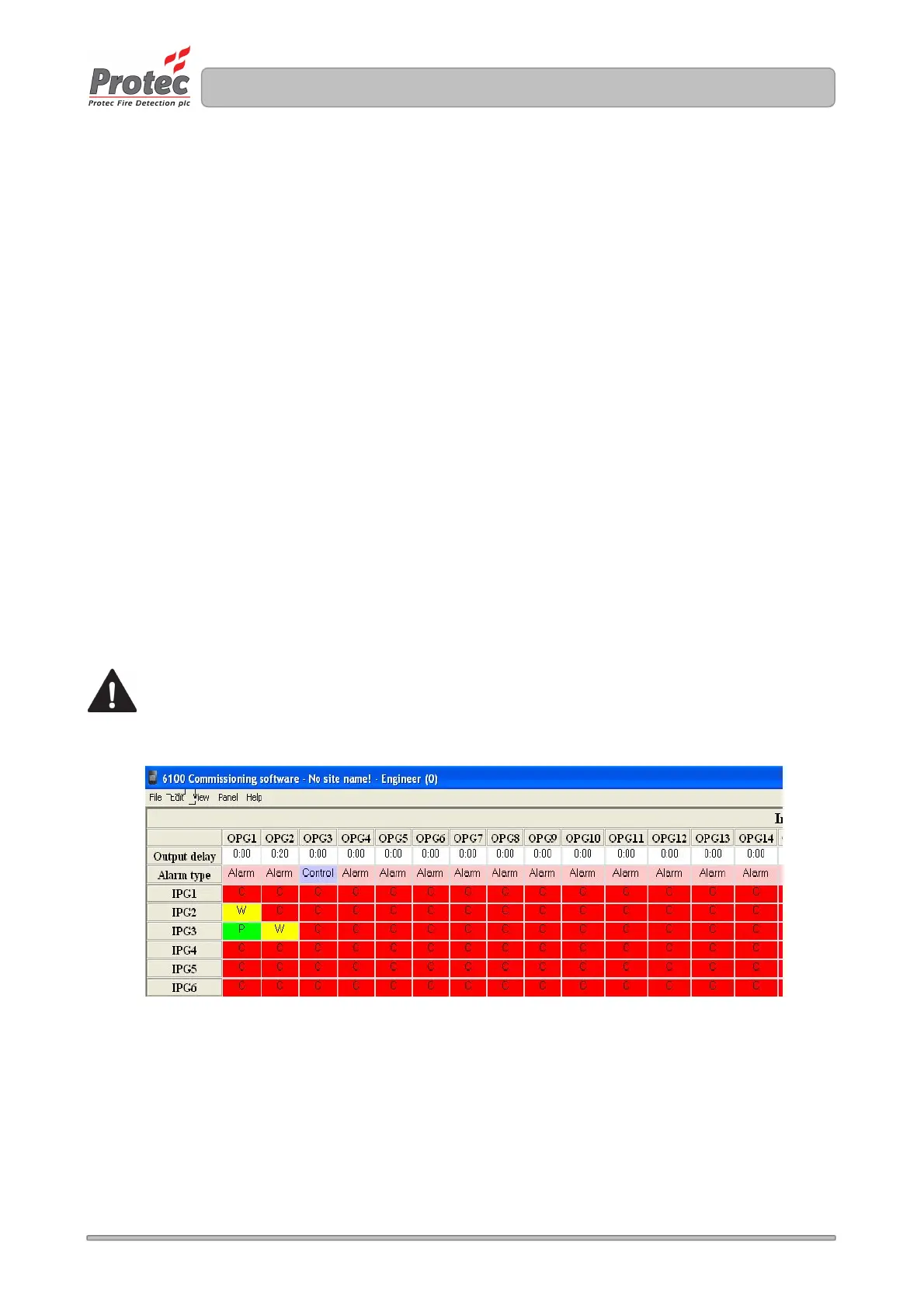
How an output group activates from an input group trigger is dictated by the letter placed in the relevant cell.
Figure 10.0 shows example matrix settings for input groups 1, 2, and 3.
Placing the cursor over a cell and clicking causes the cell choice to scroll between O ( off ), P ( pulsing ),
C ( continuous ) and W ( warble ).
Activation of output groups always follows this precedence so, for example, if an output group was activated
as W ( warble ) by input group 2, then input group 1 triggered, the output group would switch
to C ( continuous ).
11.2 Setting up Output Group Delays
The 6100 supports delays to output groups. Delays times can be set from 5 seconds to 10 minutes, in 5
second steps.
If an output group activation changes from OFF to ON ( C, P or W ) the change will not be actioned until the
programmed delay time has expired. Figure 11.0 shows output group 2 set with a delay of 20 seconds.
Pressing ‘silence’ before the delay has expired will prevent the output group from becoming active, until the
next activation for that output group.
Activations from manual class devices will override any output group delays that are running.
Figure 11.0



 To Next Page