Chapter 2 Hardware Configuration
PS3100 SERIES USER’S MANUAL
Page: 2-21
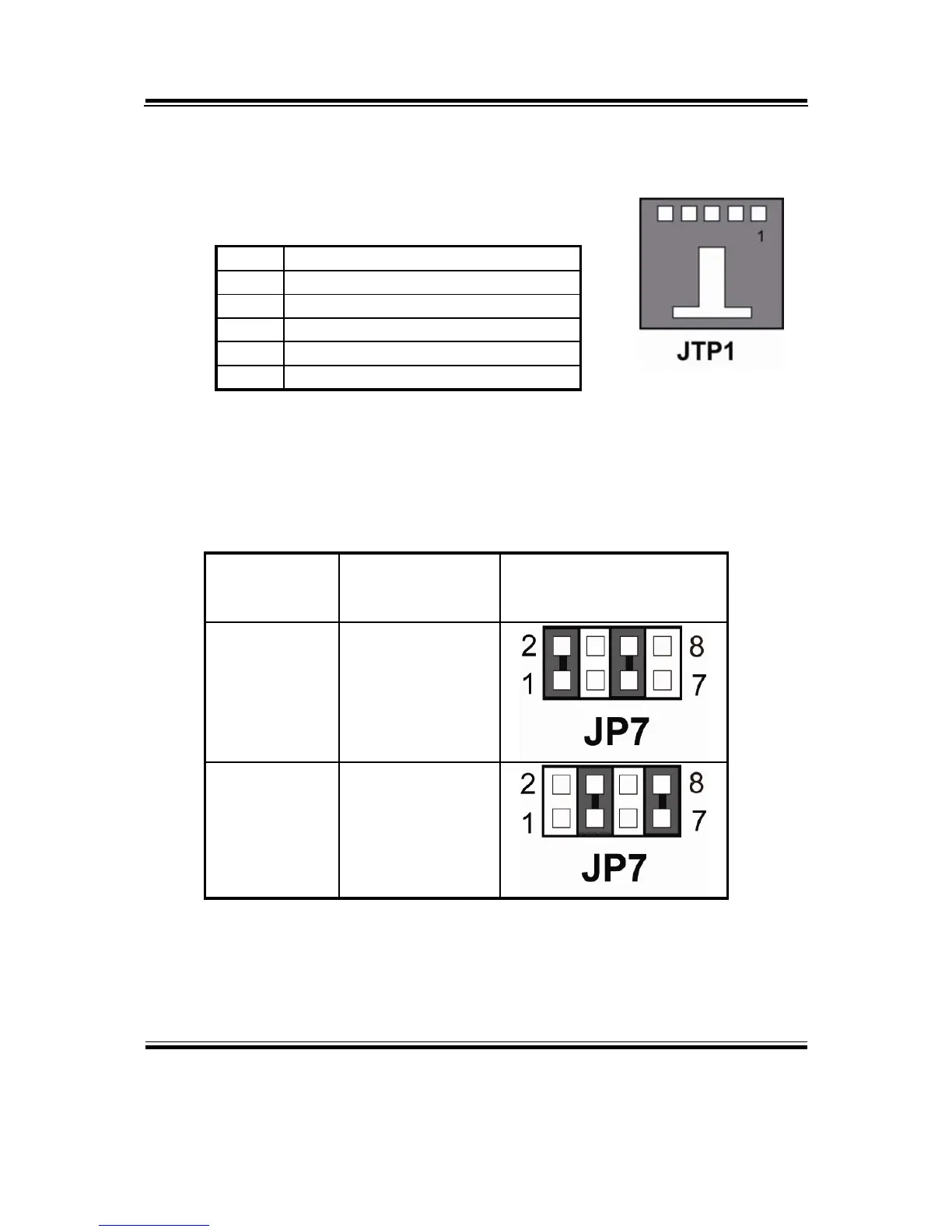
2-21. TOUCH PANEL CONNECTOR
JTP1 : Touch Panel Connector
The pin assignments are as follows :
PIN ASSIGNMENT
1 LR (Low Right)
2 LL (Low Left)
3 Probe
4 UR (Up Right)
5 UL (Up Left)
2-22. TOUCH PANEL SELECTION
JP7 : Touch Panel Selection.
The selections are as follows:
SELECTION JUMPER
SETTINGS
JUMPER
ILLUSTRATION
e-Turbo
1-2&5-6
Elo 3-4&7-8
*** Manufactory default --- Elo.



 To Next Page