Chapter 2 Hardware Configuration
Page: 2-24
PS3100 SERIES USER
’S MANUAL
2-25. CLEAR CMOS DATA SELECTION
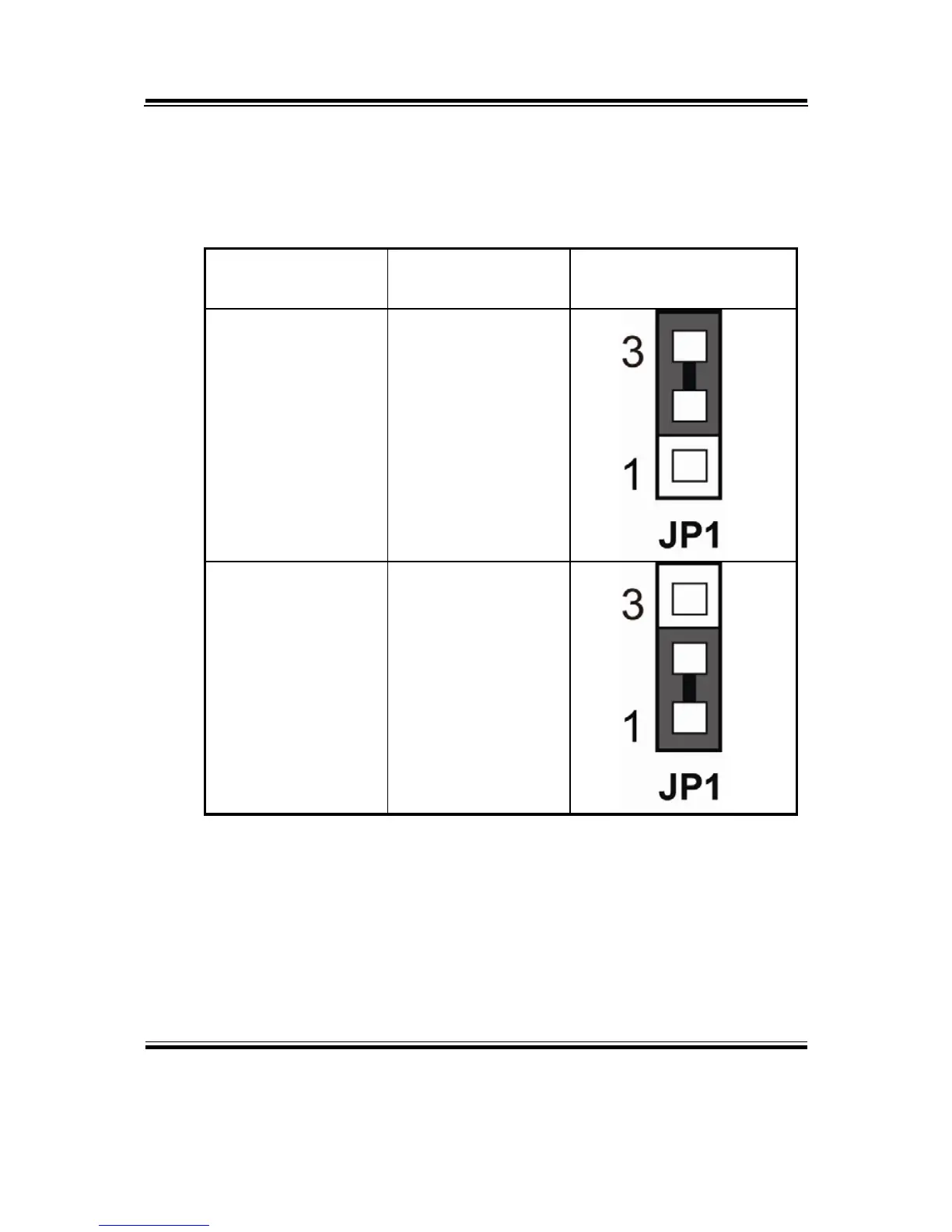
JP1: Clear CMOS Data Selection
The selections are as follows:
FUNCTION
JUMPER SETTING
(pin closed)
JUMPER ILLUSTRATION
CLEAR CMOS 2-3
NORMAL 1-2
*** Manufacturing Default – Normal.
To clear CMOS data, user must power-off the computer and set the jumper to
“Clear CMOS” as illustrated above. After five to six seconds, set the jumper back
to “Normal” and power-on the computer.



 To Next Page