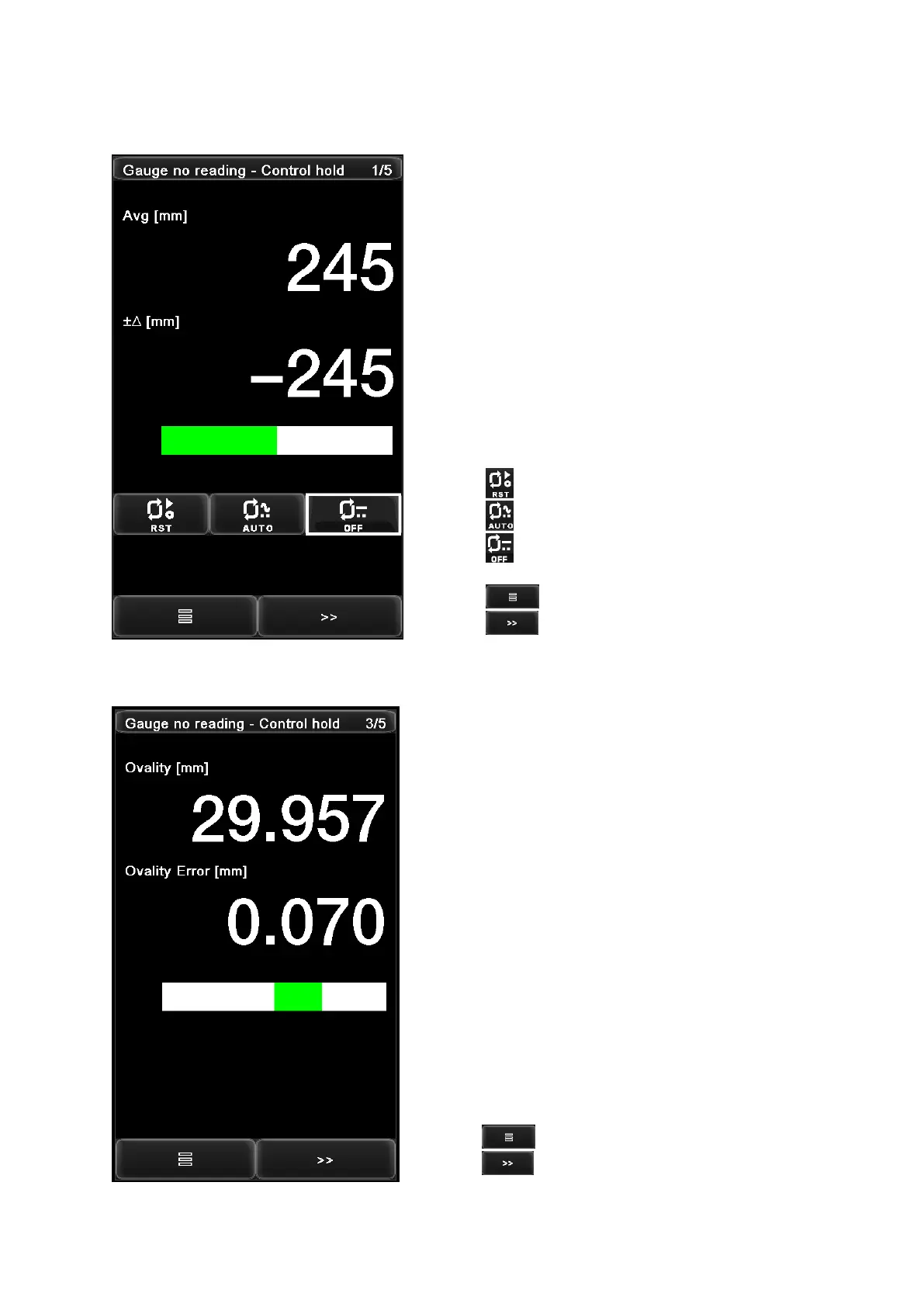
- Gauge status - PID status
- Measured diameter
- Error (measured diameter – preset diameter)
- Error bar to indicate above value pictorially
Press the button to reset the controller output voltage to zero.
Press the button to turn ON the controller outuput.
Press the button to HOLD the controller output voltage
constant at its current value.
Press the button to access the function menu page.
Press the button to advance to “Home Page 2”.
- Gauge status - PID status
- Measured Ovality = max(diameter) – min (diameter)
- Ovality error = Measured Ovality – Preset Ovality
- Ovality error bar to indicate above value pictorially
Press the button to access the function menu page.
Press the button to advance to “Home Page 4”.


 To Next Page