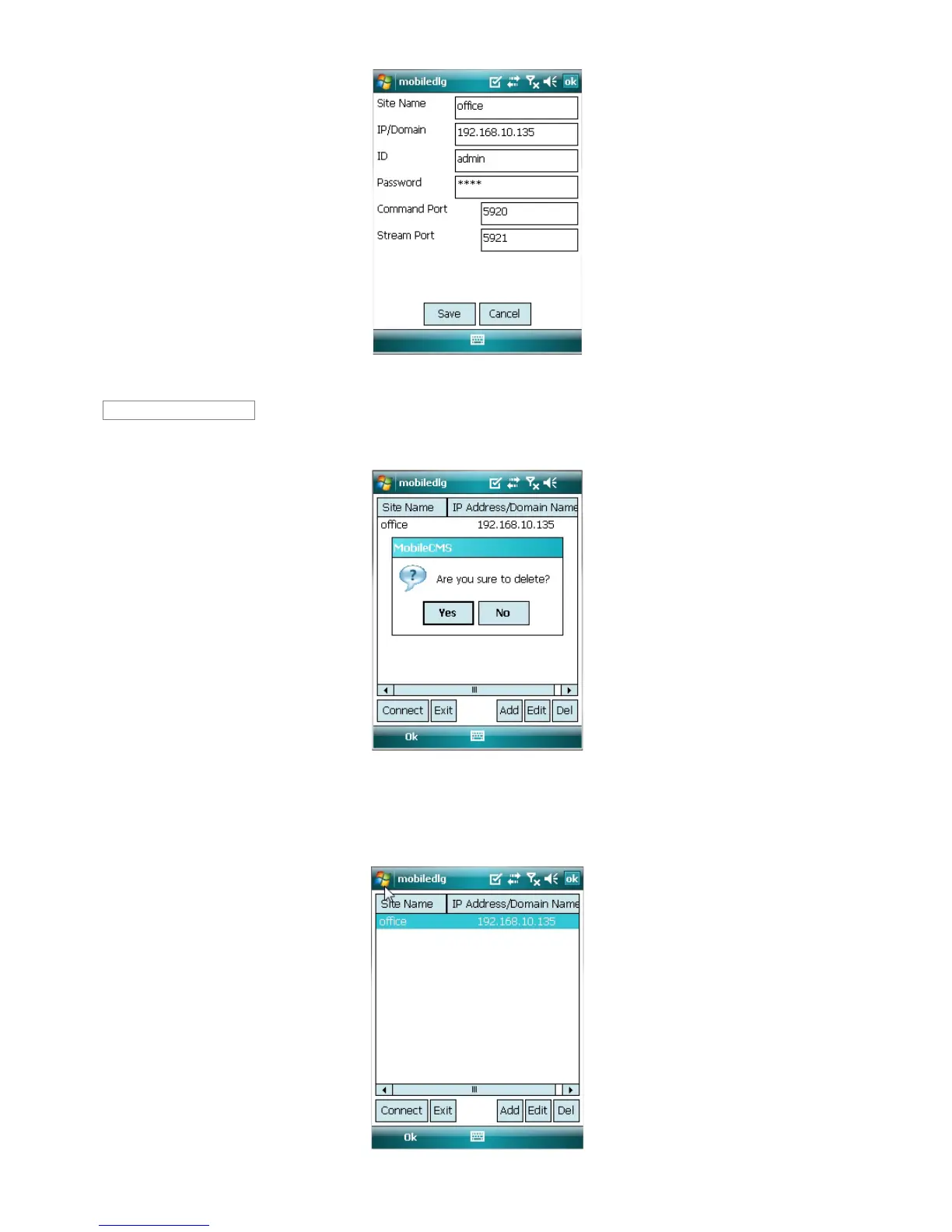
Correct items then click [Save].
Select a site and click [Del].
Confirmation message will pop up.
Click [Yes] then the site information will be removed.
12.5.4 Connection
Select a site then click [Connect].
Live display screen of the site will appear if it is successfully connected.
Delete


 To Next Page