12.6 Operation
12.6.1 DVR/PTZ Mode conversion
Press System ID number (For example, ID: 001 press Num Pad ) with button.
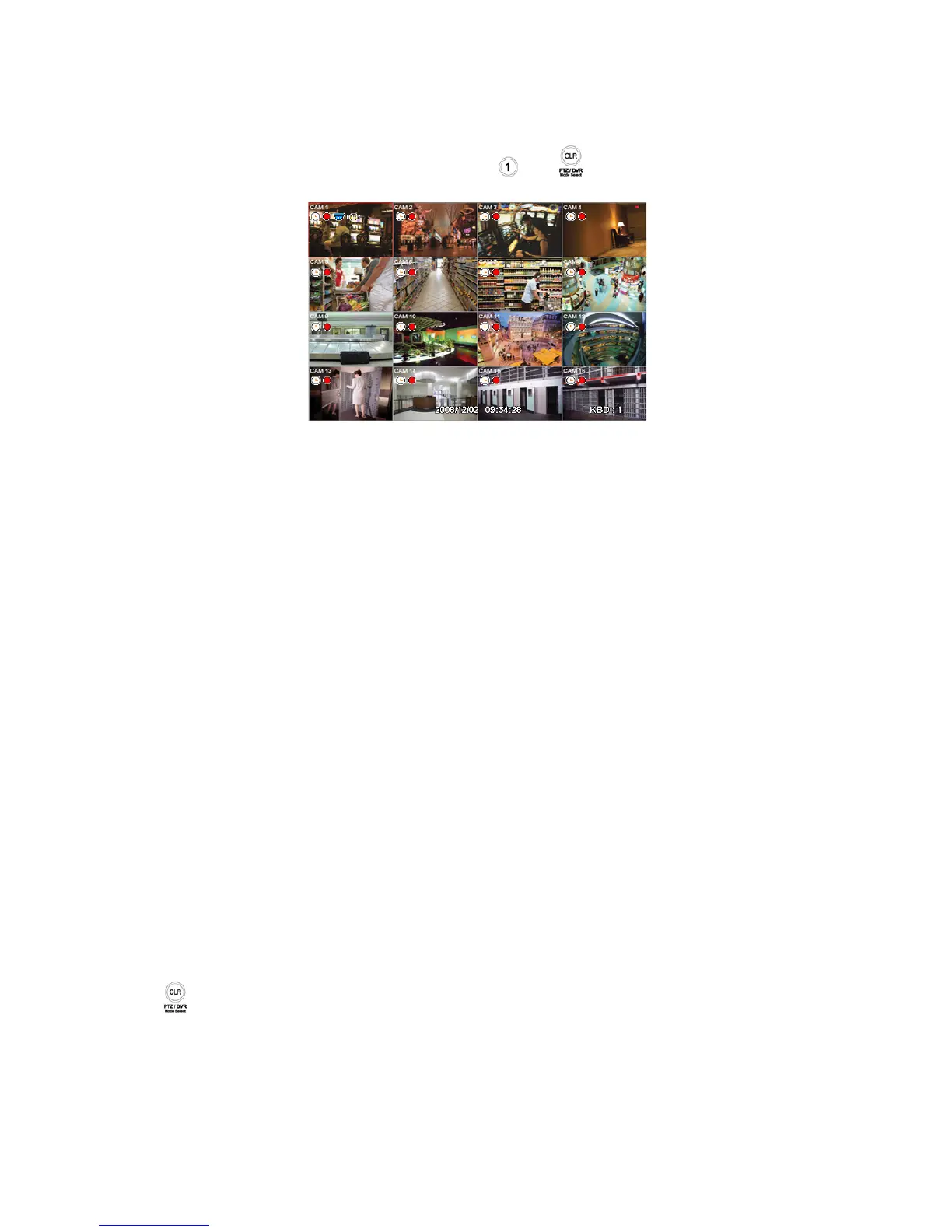
OSD will show “KBD:1” in right-bottom side that the keyboard is on DVR mode as below picture;
Then, user should be able to operate the DVR functions by the keyboard controller.
12.6.2 DVR Control Mode
In DVR control mode, all buttons are operated according to texts written underneath of each button. The functions are same
as Front buttons of DVR as follows:
- DISPLAY: change channel split screens in sequence of 1>4>9>16>1.
- SEQ: turn on/off Sequence function.
- SPOT: change the channel of a screen connected to the Spot monitor.
- ARCHIVE: pop up Archive window.
- AUDIO/ESC: shut down window when Setup window appears. Otherwise, it activates the AUDIO function. Any setup
changes during shutdown are not saved.(same as Cancel)
- EMERGENCY: turn on/off Emergency record function.
- EVENT: pop up a window to see System Log.
- PIP: turn on/off PIP screen in case of 1 channel screen. If PIP function is on, user number key(s) + ENT key to change
the PIP channel. In case of 4 or 9 channel screen, it changes the screen to a next one in the sequence.
- FREEZ: freeze a current image.
- SETUP: pop up Setup window.
- PLAY/PAUSE: play/pause recorded data in play mode.
- SEARCH: pop up Search window, or switches play mode to search mode.
- ZOOM: zoom in a current image.
- JOYSTICK (REW): rewind in sequence of 2X, 4X, 8X, 16X, 32X, 62X, Extreme in play mode.
- JOYSTICK (FF): fast forward in sequence of 2X, 4X, 8X, 16X, 32X, 62X, Extreme in play mode.
- JOYSTICK (SETUP): operate with direction keys if Setup window is popped up. (up/down/left/right).
- ENT: view a channel in full screen (by selecting a number with ENTER button).
12.6.3 PTZ Control Mode
Push once to exit DVR mode and turn PTZ mode.
Press number keys + “ENT” (Hold for a while until double beep sounds) key to change to Camera ID that wish to control. If
there is a corresponding Camera ID, a full camera image will show up and PTZ control is possible.
It is able to control 255 devices.
PSET:
- Preset save: Number keys + PSET (Hold for a while until double beep sounds).
- Preset shift : Number keys + PSET
TELE: Zoom Out
WIDE: Zoom In


 To Next Page