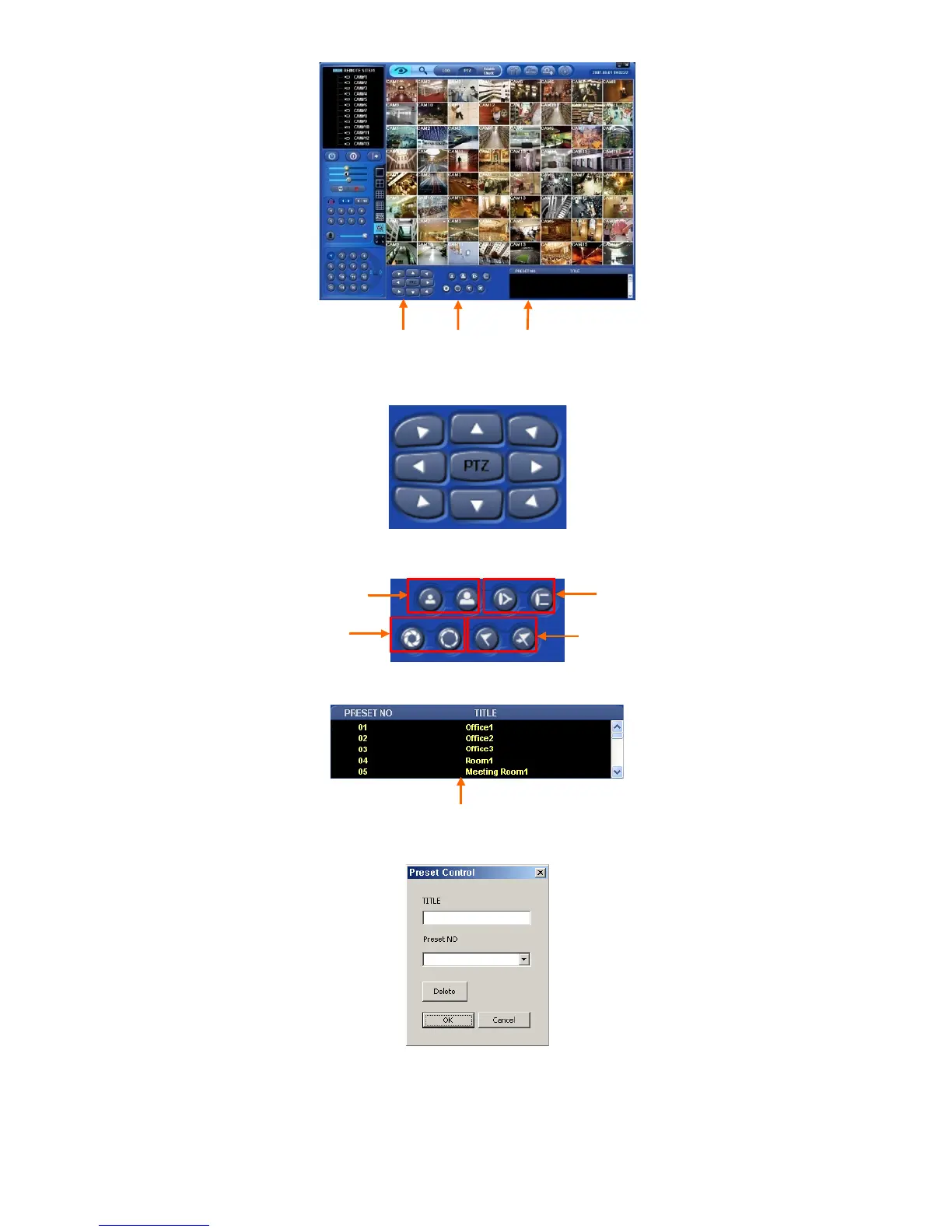
Buttons on the screen have the following functions.
① Up/Down/Left/Right direction buttons
② Up/Down/Left/Right direction buttons
③ Preset Control button
Click on Preset Control button and the following screen will appear. Please input Title and Preset Number.
When user completes the inputting, please choose ‘OK’ to confirm.
Press LOG button to go back to Live video.
① ② ③
Preset Control / Go to Preset
Zoom Out/ In Focus Near / Far
Iris Close / Open
The completed Preset


 To Next Page