Installation and Operating Instructions
SDC 204 1316BED035-10B-E Date 12/06
- 14 -
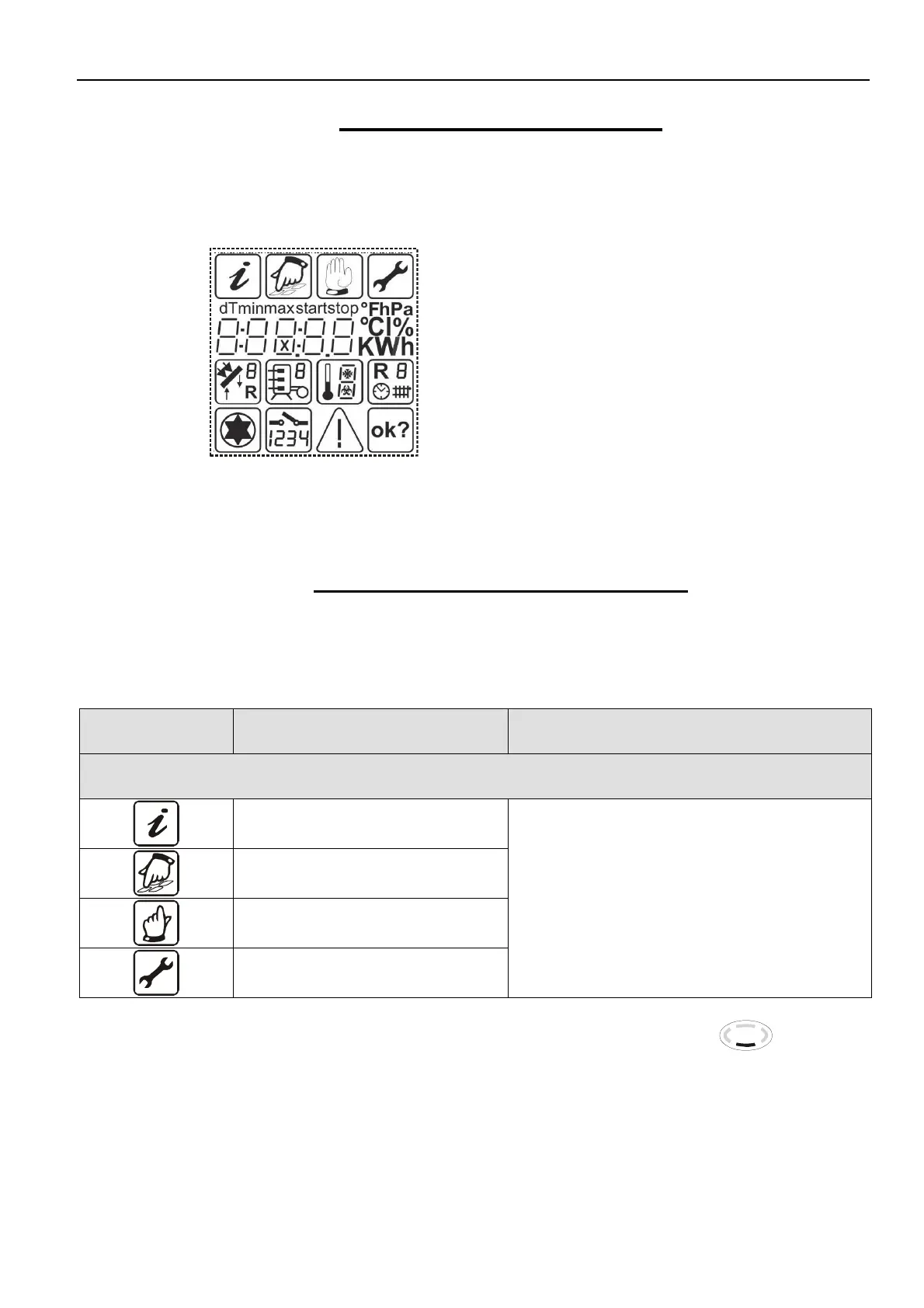
7.2 Display – maximum display
In the following graphic, all symbols that can
appear on the display during operation are
displayed simultaneously. In real-time
operation, depending on the menu position,
only some of these symbols will appear.
Main menu
Display values
Allocation of measuring points
Status display
7.3 Explanation of graphic symbols
The meaning of the individual symbols is given in the table below.
During selection, the active symbol flashes. If the menu is selected using the button, the
corresponding symbol is displayed permanently. All others are hidden.
Graphic symbol
Description
Display during operation
Main menu
“Info” menu
“Program” menu
“Manual operation” menu
“Basic settings” menu
Symbol flashes if it can be selected
13:21


 To Next Page