Chapter 5: On-Site Replacements and Upgrading
38
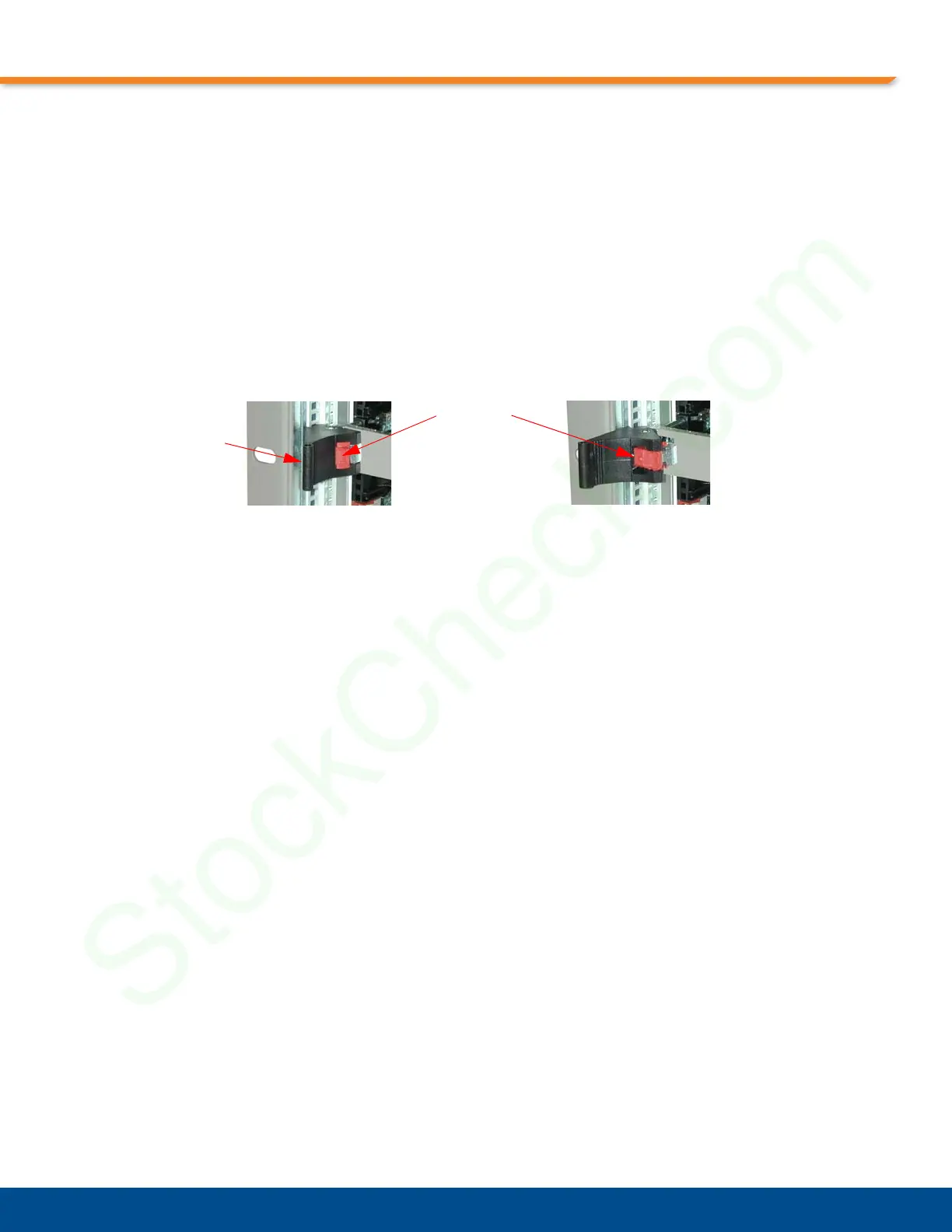
2. The latches have a locking mechanism, press it to unlock the latches.
3. Press the latches open. This will unseat the card from the pin connectors at the rear of the card slot.
4. Holding the card by its latches, pull the card gently straight out of the slot.
Card Latches
The CPC358 card uses the card latches shown in Figure 5-1, “CPC358 Latches with Lock
Release Buttons,”. Before removing a card, always ensure that the screws have been loosened
and are completely free from the chassis. When installing or removing a card, the latches must
always be in the open position.
Figure 5-1: CPC358 Latches with Lock Release Buttons
Screw location
(not visible)
To open this latch, first ensure that the screw is completely free from the
chassis, then push the lock release button. There will be an audible click as
the lock is released.
Lock Release Button


 To Next Page