Jumper Settings
45
Jumper Settings
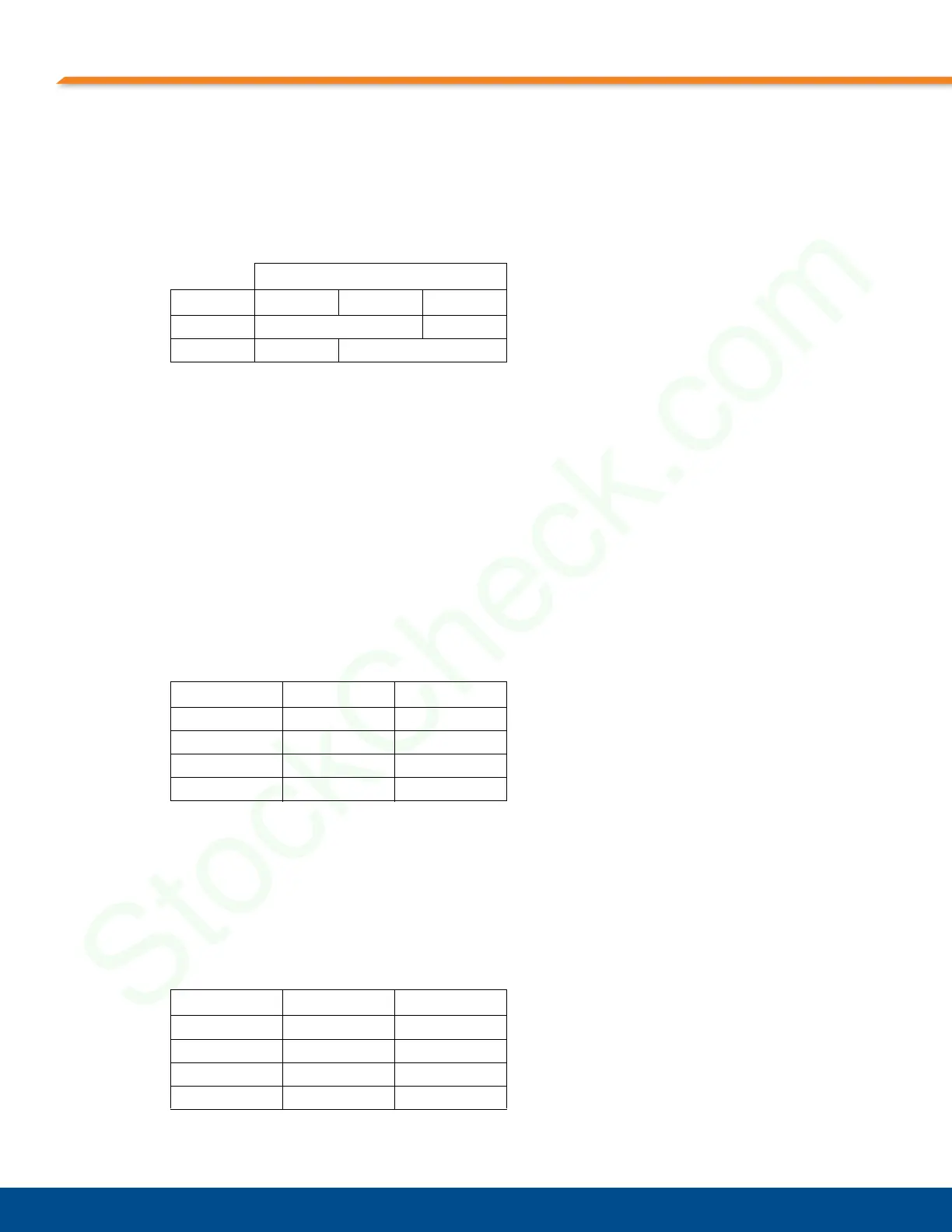
The jumper settings for the 4-port, 8-port, and 16-port MPS1000 are identical and are shown in
Table 6-1, “K5 and K38 Jumper Settings,”.
DIP Switch Settings
DIP switch usage depends on the port configuration of your MPS1000. The only DIP switches
used for the MPS1000 are SW1-1 and SW1-2. DIP switches SW1-3 and SW1-4 are not used
and must be left Open (OFF). The location of the DIP switches on the CPC358 are shown in
Figure 6-1, “K5, K38 Jumpers and SW1 Switch Location on the CPC358,” on page 44.
4-Port Configuration
On the single CPC358, the DIP switch setting for SW1-1 must be in the Open (OFF) position
and the DIP switch setting for SW1-2 must be in the Closed (ON) position for the 4-port
MPS1000, as shown in Table 6-2, “SW1 DIP Switch Settings for MPS1000 4-Port Version,”.
8-Port Configuration
On the single CPC358, the DIP switch setting for SW1-1 must be in the Open (OFF) position
for the 8-port MPS1000 as shown in Table 6-3, “SW1 DIP Switch Settings for MPS1000 8-Port
Version,”. DIP switches SW1-2 through SW1-4 are not used for this configuration and must be
left in the Open (OFF) position.
Table 6-1:K5 and K38 Jumper Settings
Pins
Jumper123
K5 Shunted
K38 Shunted
Table 6-2:SW1 DIP Switch Settings for MPS1000 4-Port Version
SW1 Closed (ON) Open (OFF)
Position 1 X
Position 2 X
Position 3 X
Position 4 X
Table 6-3:SW1 DIP Switch Settings for MPS1000 8-Port Version
SW1 Closed (ON) Open (OFF)
Position 1 X
Position 2 X
Position 3 X
Position 4 X


 To Next Page