
 Need help?
Do you have a question about the QB Robotics SoftHand Research and is the answer not in the manual?
Instructions on how to effectively use the user guide and maintain its accessibility.
Explains the meaning of icons, warnings, and formatting styles used throughout the manual.
Lists all the components included in the qb SoftHand Research kit package for user reference.
Defines the specific applications and limitations for which the qb SoftHand is designed.
Provides critical safety guidelines and warnings to prevent injury and product damage during operation.
Details relevant EC directives and their applicability to the qb SoftHand product for regulatory compliance.
Outlines environmental and operating conditions that must be avoided to ensure product safety and longevity.
Covers product disposal according to national laws and RoHS compliance for environmental protection.
Displays the physical dimensions and tolerances of the qb SoftHand in millimeters and degrees.
Provides the coordinates of the Center of Mass and defines the robot tool coordinate system.
Details key mechanical properties such as payload capacity, grasping force, and operational times.
Lists the product's electrical specifications, including voltage, power consumption, and current limit.
Describes the M8 connector pinout and compatible cables for device communication.
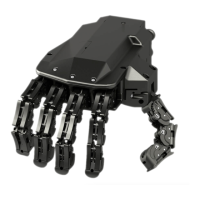
Introduces the qb SoftHand as an anthropomorphic robotic hand based on soft-robotics technology.
Highlights the flexibility, adaptivity, number of DOFs, and other notable features of the qb SoftHand.
Lists available customization options such as flange adapters and cover colors.
Provides step-by-step instructions for physically attaching the qb SoftHand to a UR robot arm.
Details the procedure for connecting the qb SoftHand to UR e-Series robots using the wrist connector.
Explains how to connect the qb SoftHand to the UR Control Box for CB-Series robot models.
Introduces the URCap software for integrating and controlling the qb SoftHand with Universal Robots, covering installation, overview, and script functions.
Addresses issues where the qb SoftHand fails to establish a connection with the robot system.
Discusses common causes and solutions for intermittent disconnection of the hand during robot operation.
Guides users on how to resolve issues where the qb SoftHand fingers fail to fully open.
Provides troubleshooting steps for when the qb SoftHand is connected but unresponsive to movement commands.
Offers tips for improving the performance and demonstration quality of the qb SoftHand.
Addresses problems related to the wear and tear of the qb SoftHand glove and its replacement process.
Provides solutions for corrupted files or malfunctioning of the USB flash drive accompanying the product.
Explains how to troubleshoot and resolve the specific error C740A0 encountered on e-Series robots.
Clarifies that individual finger control is not possible due to the single-motor synergy design.
Mentions an error related to rendering CAD models, suggesting external resources for them.
Step-by-step guides for installing the URCap on CB-Series and e-Series robots.
Step-by-step instructions for removing the URCap software from the robot system.
 General
| Brand | QB Robotics |
|---|---|
| Model | SoftHand Research |
| Category | Robotics |
| Language | English |

 To Next Page