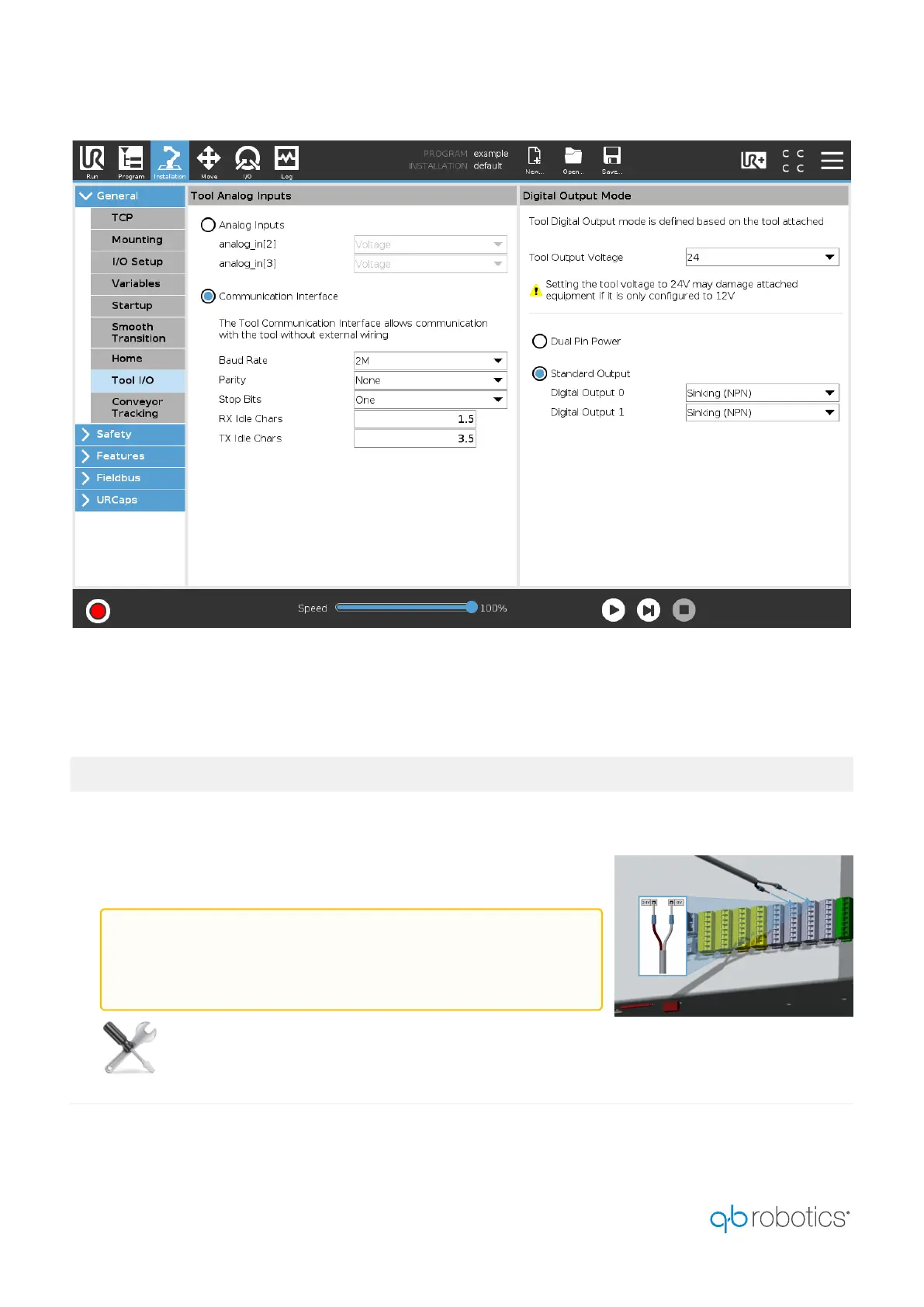
To connect the hand to the UR's Control Box, please follow the instructions below:
# INSTRUCTIONS
1
Connect the free Faston of the brown power cable to one of the
available 24 V sockets inside the Digital Inputs panels.
Connect the free Faston of the white power cable to one of the
available 0 V sockets inside the Digital Outputs panels.
You need theflat-blade screwdriver.
WARNING:
It is worth noticing that an incorrect connection of the
power pins may lead to faulty behaviors.


 To Next Page