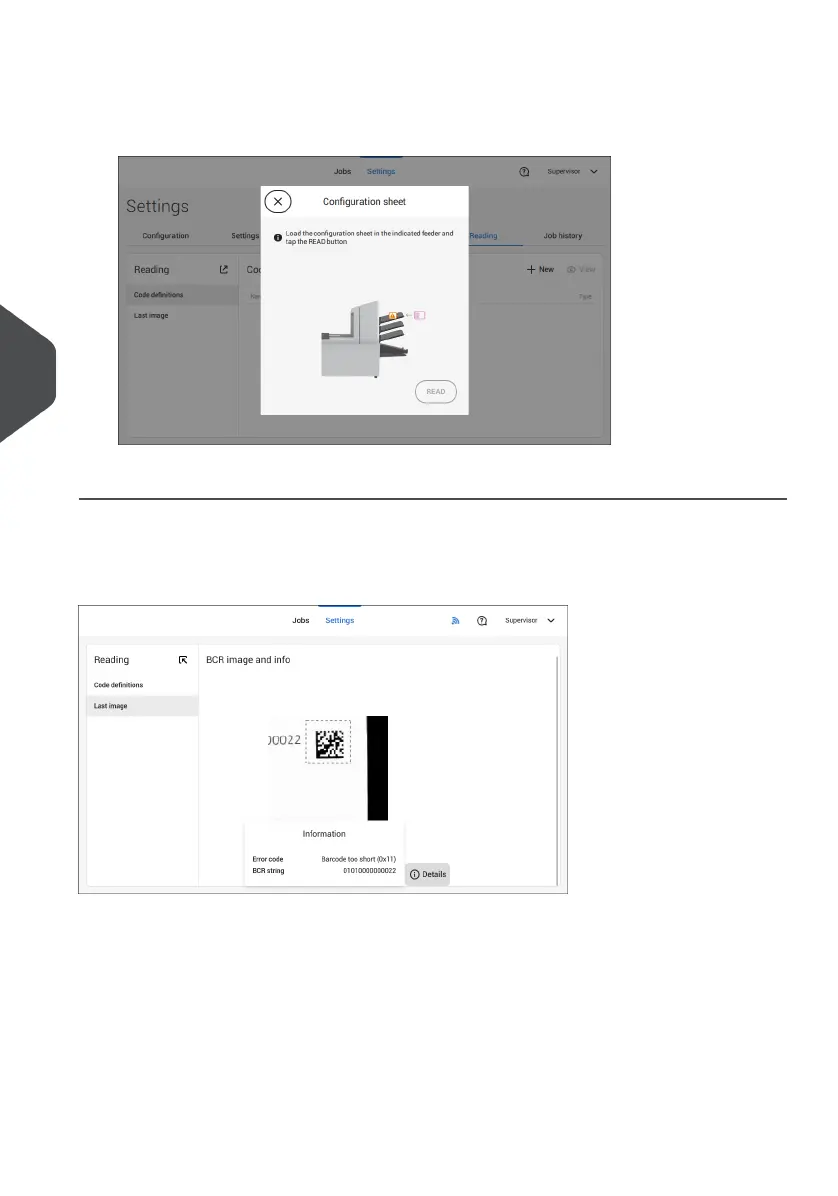
3. Set configuration.
When logged on as Supervisor the only way to set the configuration is via a
configuration sheet.
Follow the instructions displayed on screen to finalize the settings of the code definition.
Last Image
The Last image screen shows the result of the last code that the system read. The figure
shows an example of the image of a reading code. You can use this image to see if the
read code fits within the reading window.
When you click on the Information button of an image of OMR code, the screen shows a
graphical representation of the marks read from the last OMR document (oscilloscope
function). It shows the time-dependant OMR output voltage.
98
| Page 98 | Jul-11-2022 07:45 | Settings menu
6
English



 To Next Page