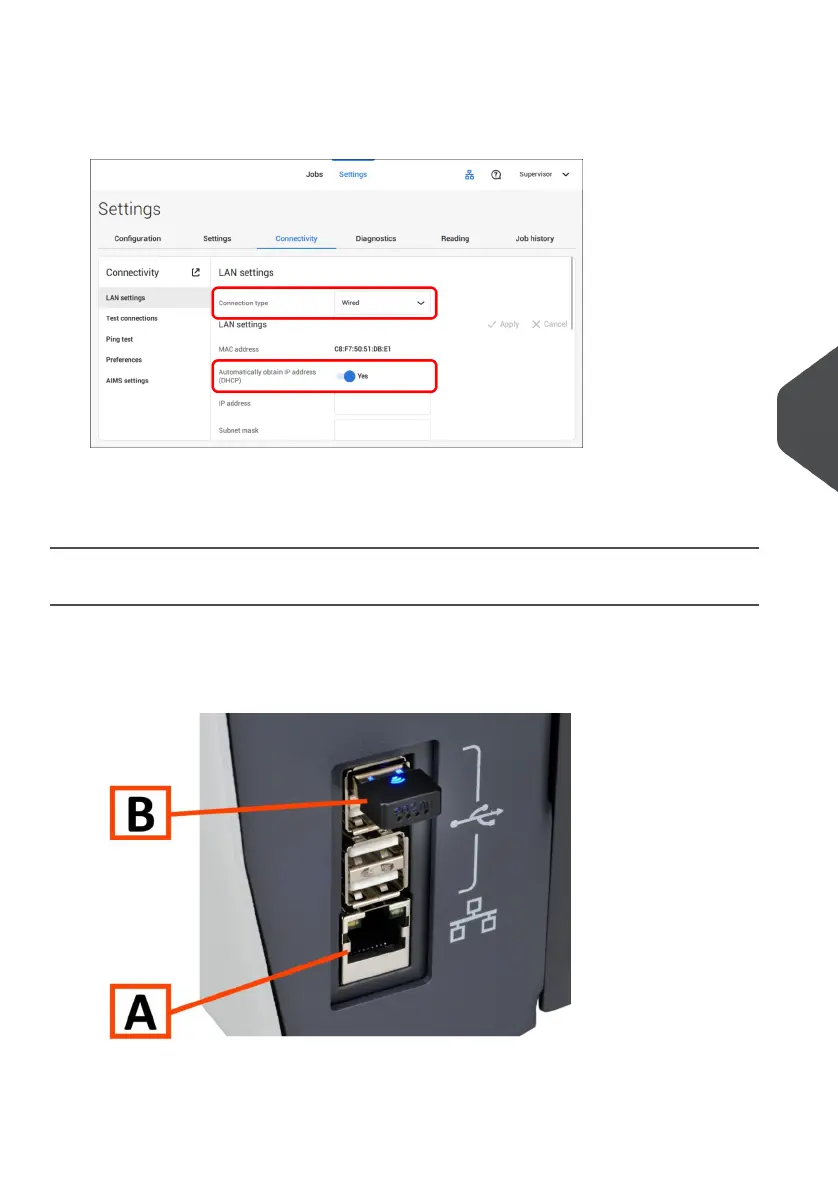
2. Open the supervisor settings menu.
3. Tap the tab [Connectivity].
4. Tap [LAN settings] and select Wired from the Connection type pulldown menu.
5. Set Automatically obtain IP address (DHCP) to Yes or No. If Yes, the system
connects automatically to the LAN. If No, set up a connection manually. Enter the
necessary details to setup a manual connection.
Set up a Wireless Connection
Set up a wireless connection as follows:
Ensure that the wireless adapter B is present.1.
7
English
101
| Page 101 | Jul-11-2022 07:45 | Connect the System to the Internet



 To Next Page