Clearing stoppages
Clearing Stoppages
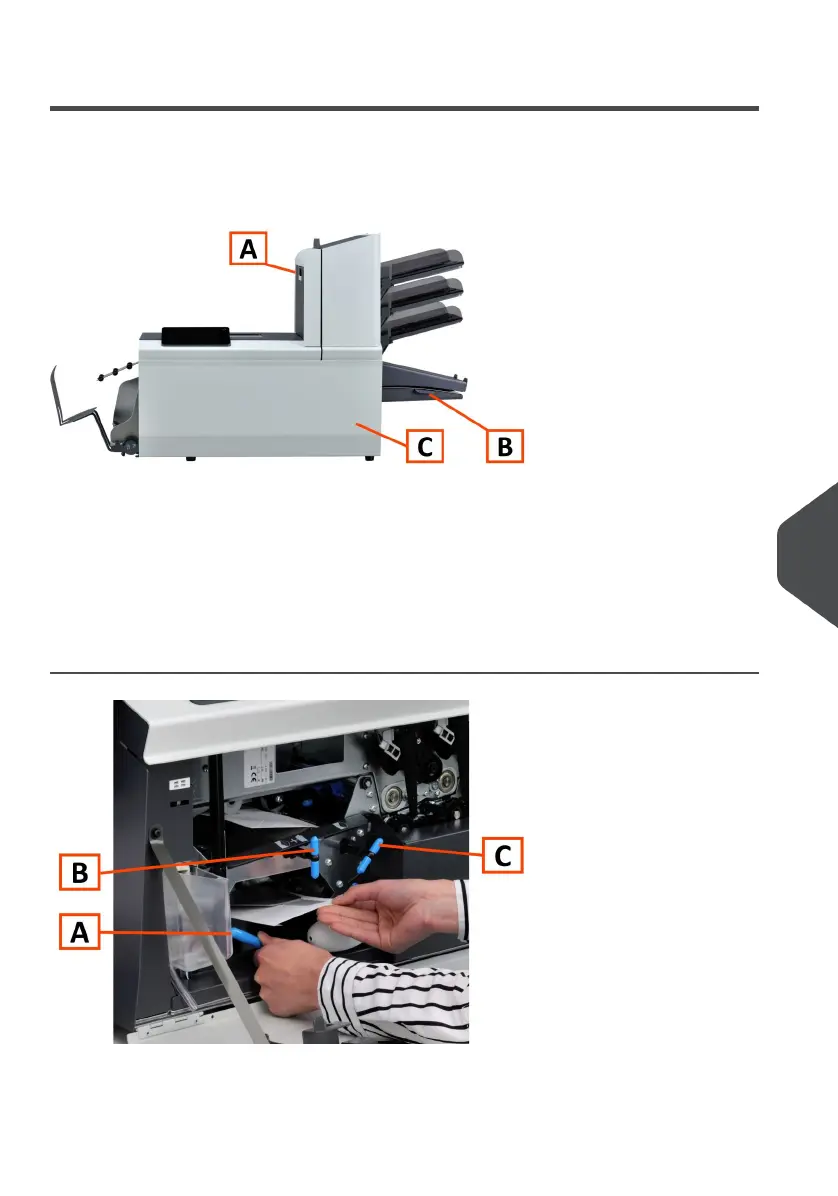
For clearing of stoppages, three system sections can be opened:
A - Top cover (upper unit) to reach the Folder and Feeder area.
B - Collator plate to reach the collator area.
C - Front cover to reach the envelope track and inserter area.
Lower Envelope Track
When a stoppage occurs in the lower envelope track, remove the envelopes as follows:
Open the Front cover.1.
10
English
133
| Page 133 | Jul-11-2022 07:45 | Fault Finding



 To Next Page