How this Help Works2
Help Menu
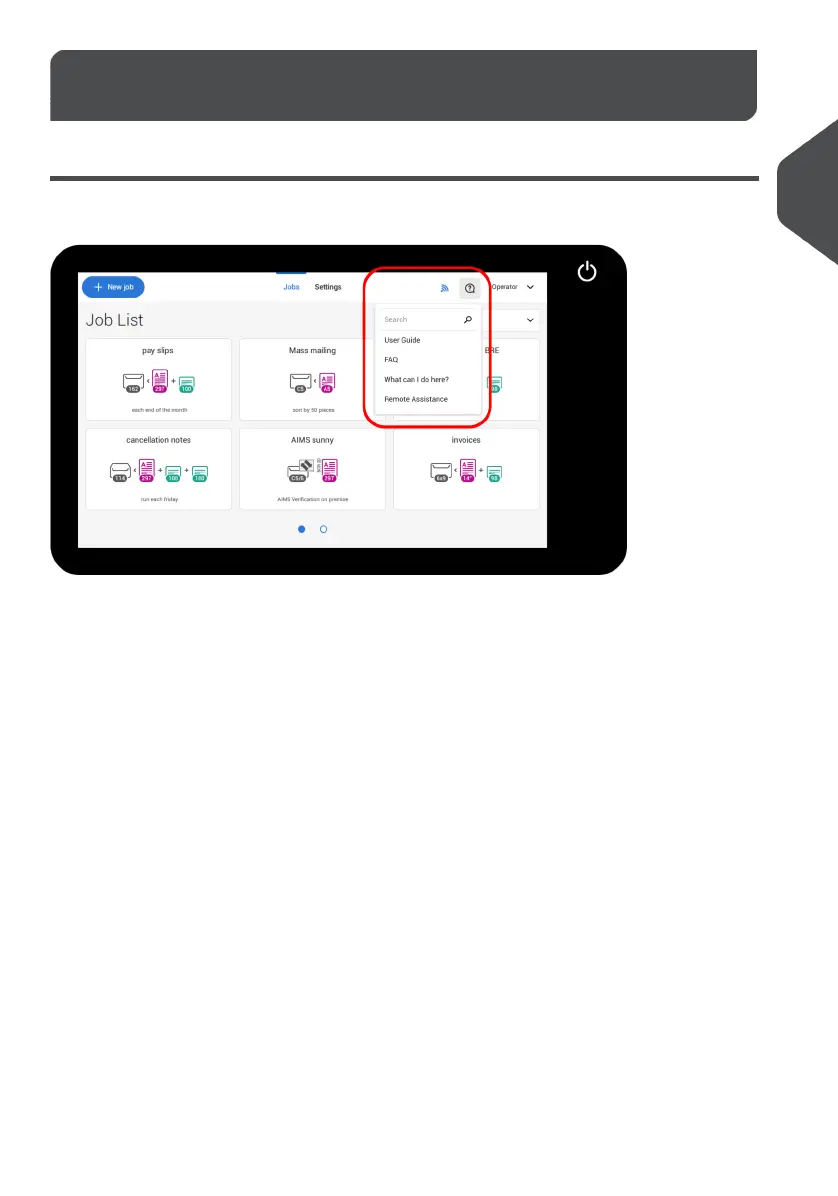
The help button [?] gives access to help topics via a pull-down menu.
The contents of the help menu can be different for your situation. The help menu can contain
the following topics:
• Search: use the search engine to find a specific topic.
• User Guide: user instructions describing how to use the system.
• FAQ's (option); when the system is connected to the internet, frequently asked
questions are answered here (option).
• What can I do here: a list with relevant help topics related to the current screen.
• Remote assistance (option): online remote assistance for helpdesk guidance. Call
the phone number that is displayed and follow the instructions of the support assistant.
3
| Page 3 | Jul-11-2022 07:45 | How this Help Works
2
English



 To Next Page