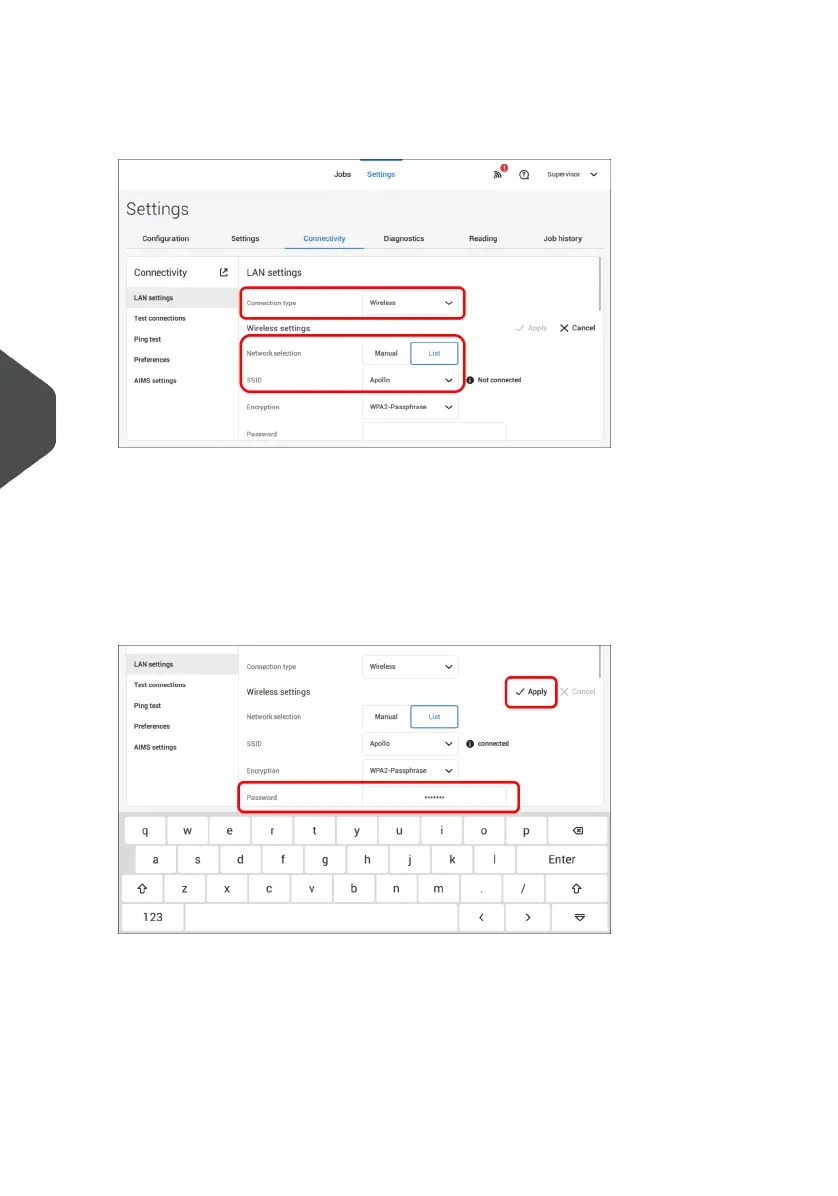
2. Open the supervisor settings menu.
3. Tap the tab [Connectivity].
4. Tap [LAN settings] and select Wireless from the Connection type pulldown menu.
5. Tap [List] if you want to connect to one of the available networks from the SSID pull
down menu. The system will automatically refresh the list and will show all available
networks.
Tap [Manual] if you want to enter the SSID manually.
6. Enter the password for one of the available SSID networks; [Apply] will become active.
In case of a manually set network [Apply] will become active if all details have been
entered.
102
| Page 102 | Jul-11-2022 07:45 | Connect the System to the Internet
7
English



 To Next Page