Photocells
When too much paper dust is built up at the sensors a warning message will be displayed.
To check the conditions of the photocells or to calibrate them follow the instructions as
described in Calibrate photocells on page 127.
Reading
Reading
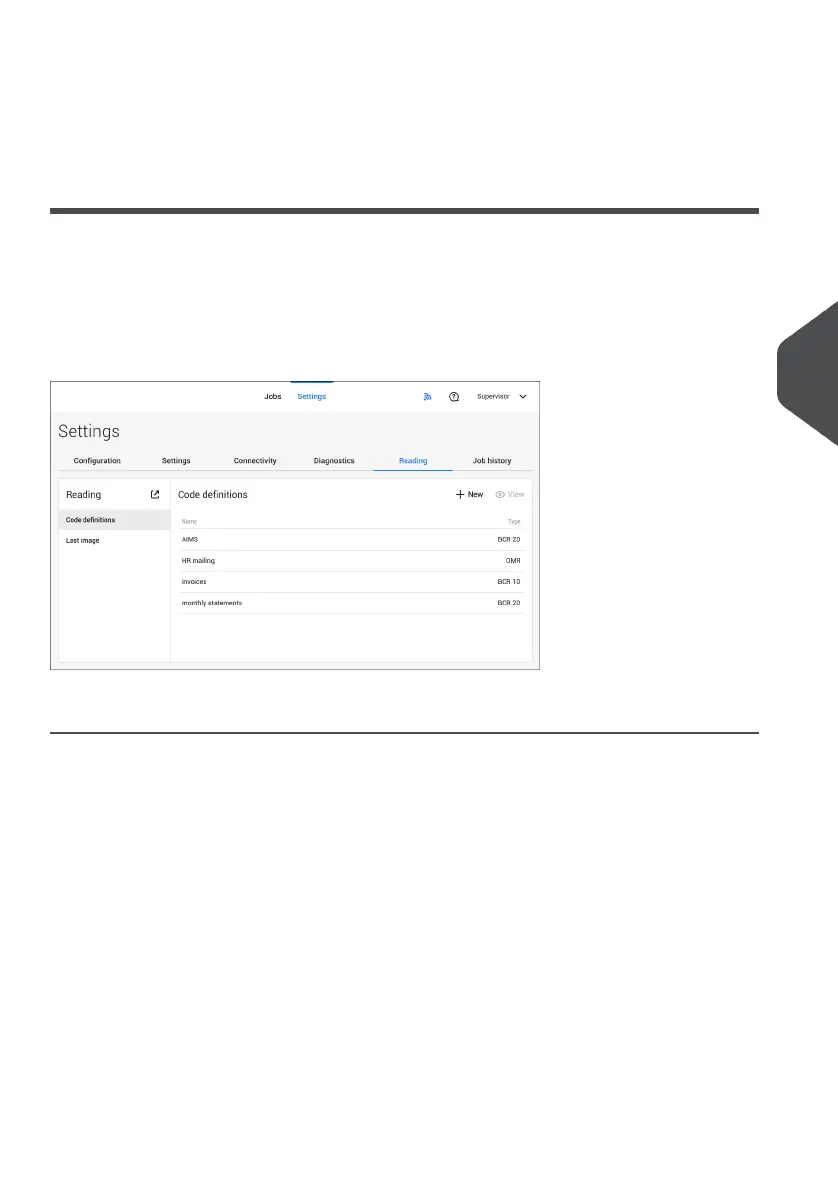
In the reading menu it is possible to view and to add new code definitions. It is also possible
to view the last image that has been read by the system.
Because reading is optional, this menu is only available when there is at least one reading
license present.
For more information on the reading option, see Reading on page 108.
Viewing and adding code definitions
When logged on as Supervisor it is only possible to view or to add code definitions. Editing,
copying, renaming or deleting a code definition can only be performed by a service engineer.
Contact your local distributor if one of these actions have to be executed.
Viewing available code definitions.
1. From the (main) Reading menu window tap [Code defenitions].
6
English
95
| Page 95 | Jul-11-2022 07:45 | Settings menu



 To Next Page