5G Module Series
RG500L_EVB_User_Guide 7 / 38
Figure Index
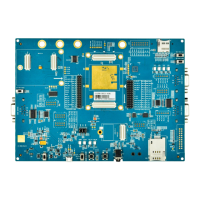
Figure 1: Top View for Component Placement of the EVB ....................................................................... 11
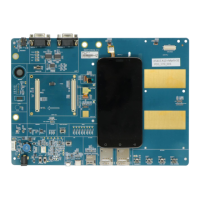
Figure 2: Bottom View for Component Placement of the EVB .................................................................. 12
Figure 3: RG500L EVB Top View .............................................................................................................. 15
Figure 4: RG500L EVB Bottom View ......................................................................................................... 16
Figure 5: Block Diagram of the EVB Power Supply ................................................................................... 19
Figure 6: EVB Power Supply Interface ...................................................................................................... 20
Figure 7: Connection Between Module TE-A and EVB ............................................................................. 20
Figure 8: Connection Between SI32185-TE-A and EVB ........................................................................... 21
Figure 9: Connection Between LE9643-TE-A and EVB ............................................................................ 22
Figure 10: USB Interface Connection ........................................................................................................ 22
Figure 11: USB Block Diagram .................................................................................................................. 23
Figure 12: Simplified Connection Schematic for (U)SIM Card Connector ................................................ 23
Figure 13: Pin Assignment of (U)SIM Card Connector (J0901) ................................................................ 24
Figure 14: Simplified Interface Schematic for SD Card Connector ........................................................... 25
Figure 15: Pin Assignment of SD Card Connector (J0903) ....................................................................... 25
Figure 16: Power Switch (S0203) .............................................................................................................. 26
Figure 17: USB_BOOT Switch (S1205) and PCIe Port Switch (S0401) ................................................... 26
Figure 18: PWRKEY Button (S1202) ......................................................................................................... 27
Figure 19: RESET/WPS_KEY/RESTORE_KEY Buttons (S1204/S1203/S1201) ..................................... 28
Figure 20: Module Status Indicators .......................................................................................................... 29
Figure 21: Wi-Fi/Bluetooth Status Indicators ............................................................................................. 30
Figure 22: Connection Between 2.4G Wi-Fi TE-A and EVB...................................................................... 31
Figure 23: Connection Between 5G Wi-Fi TE-A and EVB ......................................................................... 31
Figure 24: Cellular/GNSS Antenna Interfaces ........................................................................................... 32
Figure 25: Wi-Fi Antenna Interfaces .......................................................................................................... 33
Figure 26: USB AT Ports Loaded on PC Device Management ................................................................. 34
Figure 27: COM Port Setting Field on QCOM (USB AT Port Connection) ................................................ 35
Figure 28: USB Port Loaded on PC Device Management ........................................................................ 35
Figure 29: Firmware Download OK ............................................................................................................ 36





 To Next Page