Page 19 of 57
Power Up
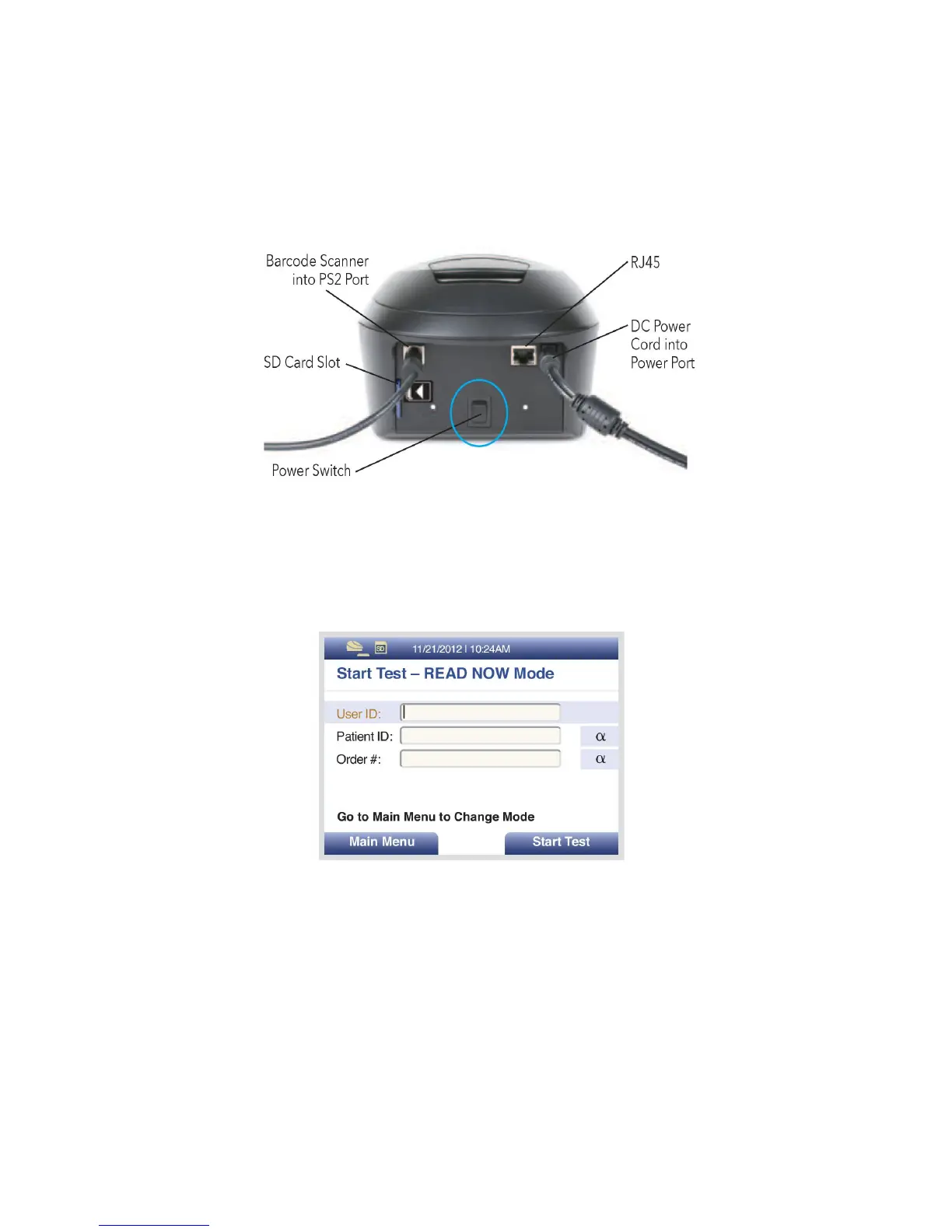
Turn Sofia on using the power switch located on the rear panel (Figure 5). Hold the toggle switch
down for 1-2 seconds until the screen illuminates.
Figure 5
Sofia will display the Power On progress screen and complete a Power On Self-Test. The Barcode
Scanner will chirp upon powering up. Once the Power On is complete, Sofia will display the Start
Test screen (Figure 6) and Sofia is ready for use.
Figure 6
When turning on Sofia for the first time, the Checking Internal Reference screen will display
(Figure 7). Depending on which drawer is installed, the Internal Reference State may not be
available. If this is the case, it is acceptable to continue testing.



 To Next Page