Page 30 of 57
The OPTIONS button enables search function to locate QC result details in the same manner as
Patient Test Results. Select the BACK button to return to the Review Data screen.
Review Calibration Results
Sofia Calibration Results include the records for previously run Calibration tests.
A list of the calibrations performed will be displayed.
Select the BACK button to return to the Review Data screen.
View Lot Status
QC Lot Status
QC Lot Status displays the QC Kit/Lots of assays and their expiration dates. This information is
captured by Sofia when Quality Controls are run.
A list of the Kit/Lots that have been processed by the QC procedure will be displayed along with
the expiration date.
Select the BACK button to return to the View Lot Status screen. Select the BACK button again to
return to the Review Data Section.
Calibrator Lot Status
When an assay requires the use of a calibrator, a list of kit/lots that have been processed by the
QC procedure will be displayed along with the expiration date.
Select the BACK button to return to the Review Data screen.
View Test Types
A list of the installed Test Types and Version number loaded is displayed.
Select the BACK button to return to the View Lot Status screen. Select the BACK button again to
return to the Review Data screen.
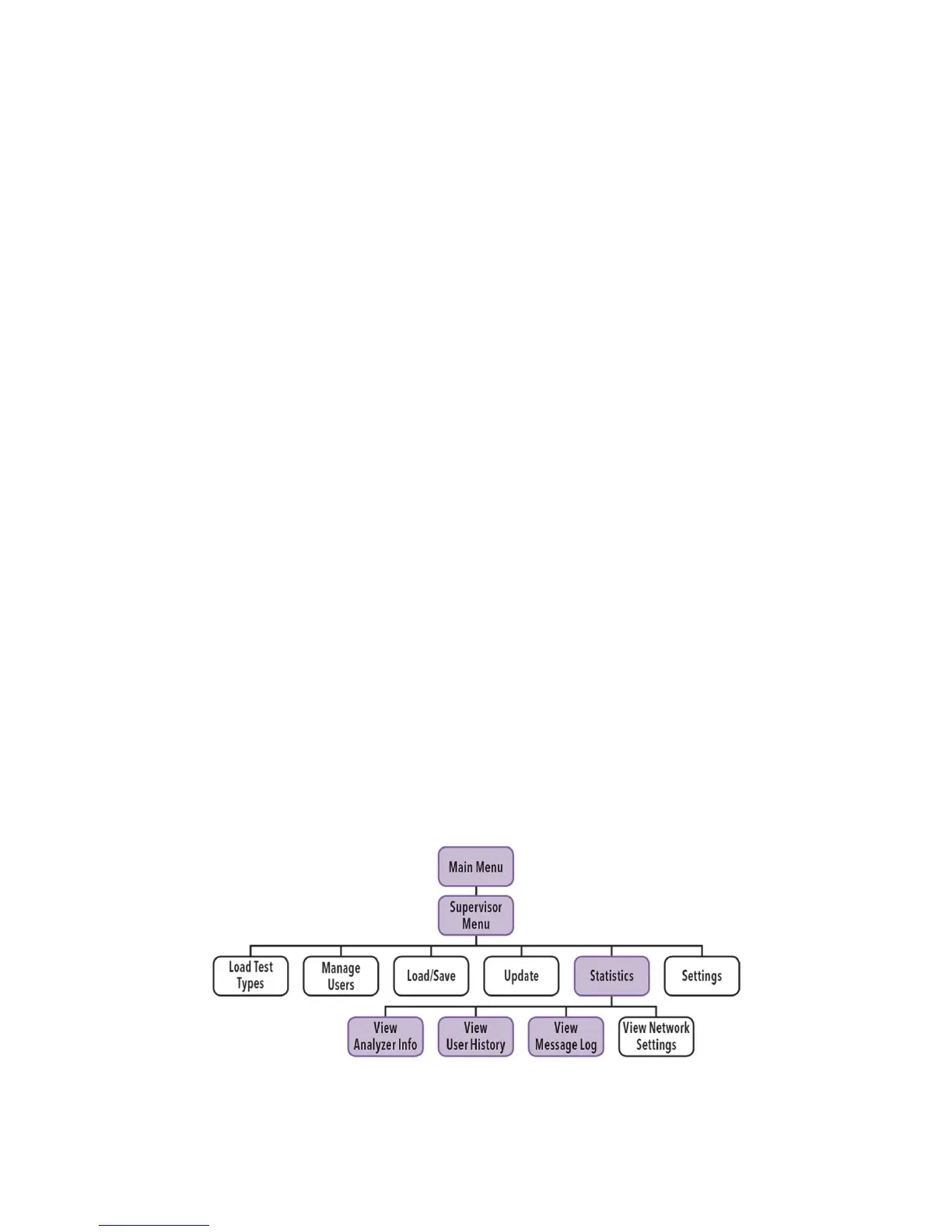
Sofia Statistics



 To Next Page