Page 41 of 57
Laboratory Information System (LIS)
LIS Parameters and Settings
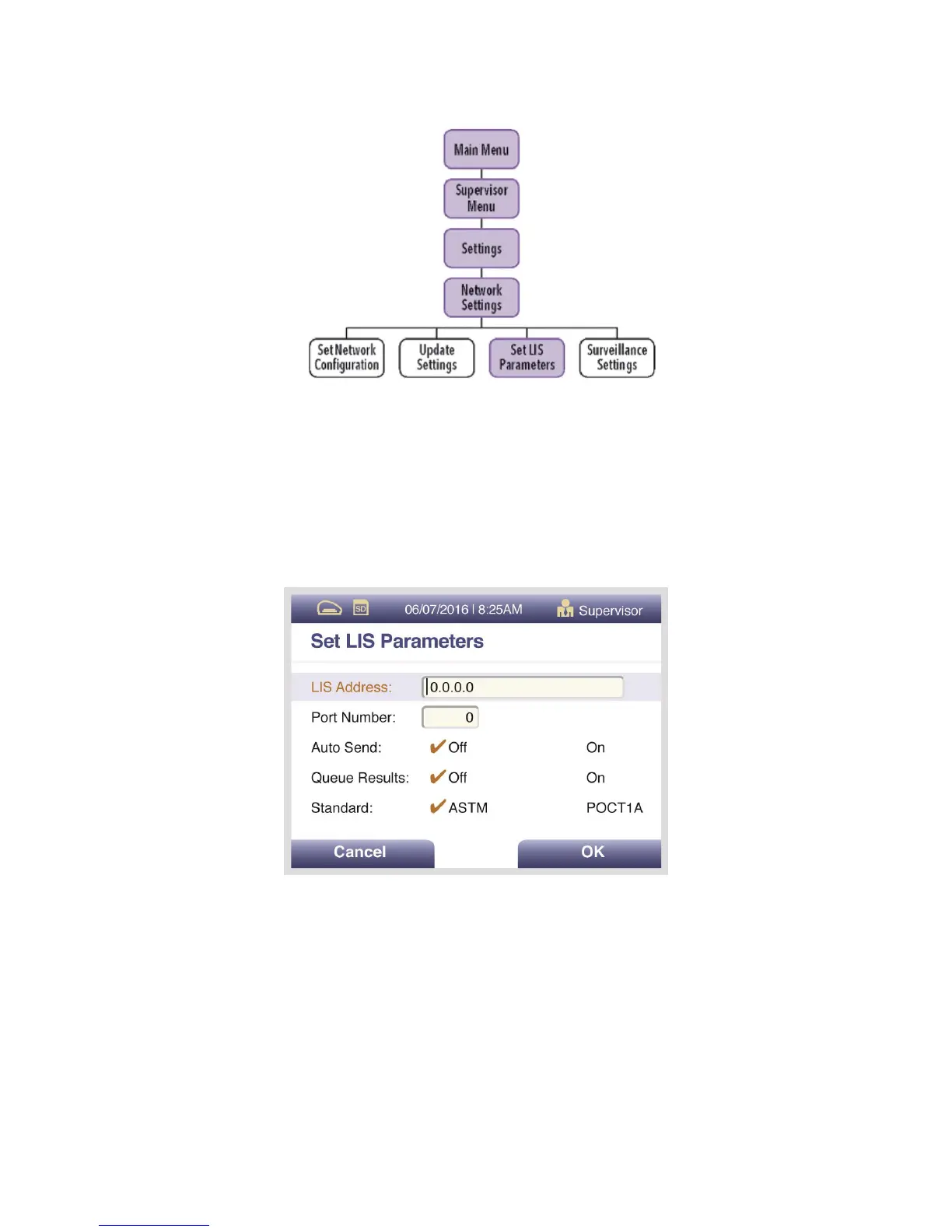
Select Set LIS Parameters, use the numeric keypad to enter the LIS Address in the form. Use the
Up/Down arrows to select Port Number, then use the numeric keypad to enter number.
For the Auto Send and Queue Results options, use the Left/Right/Up/Down arrows to select Off
or On option. Select OK to save changes and exit (Figure 18).
Figure 18



 To Next Page