EasyManua.ls Logo

Quidel Sofia - Sofia and Virena Router Connection Installation; Set Network Configuration; Surveillance Mode Set Up

Quidel Sofia
58 pages
Print Icon
To Next Page IconTo Next Page
To Previous Page IconTo Previous Page
Loading...
Page 42 of 57
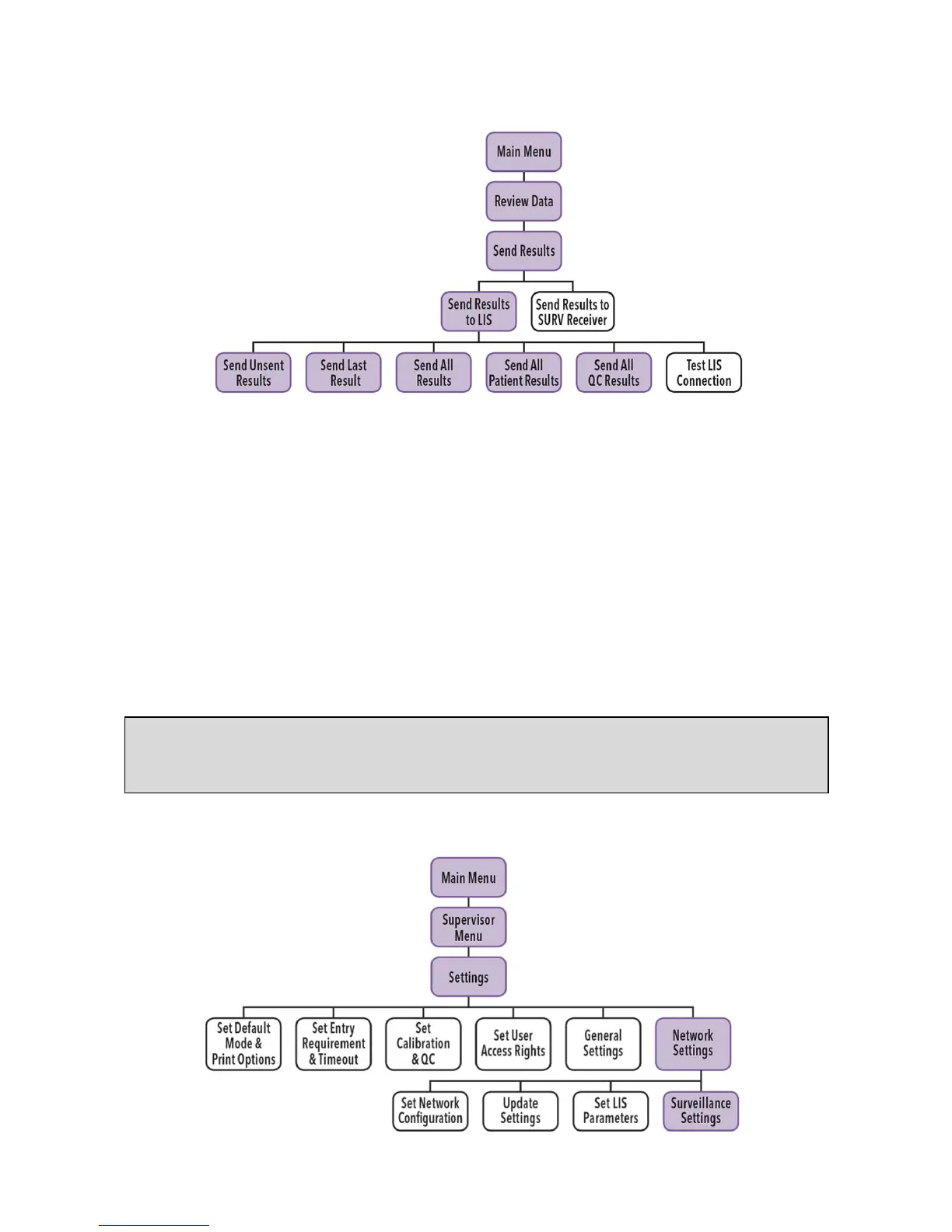
Send Results to LIS
When Send Results to LIS is selected, the following options will be displayed on the screen:
Send Unsent Results
Send Last Result
Send All Results
Send All Patient Results
Send All QC Results
Test LIS Connection
When selecting to send results, you will see Sending to LIS Please Wait.
If data was sent successfully, the screen will display Data were transmitted successfully.
Surveillance Mode
Note: If the auto send function for LIS or SURV is turned ON, and results are not transmitted
successfully, then Sofia will keep retrying every 5 minutes of inactivity until a connection with
the router or server is established.

Table of Contents

Other manuals for Quidel Sofia

Related product manuals