Q150T Sample Preparation System
Q150T - Instruction Manual 19 10473 - Issue 5
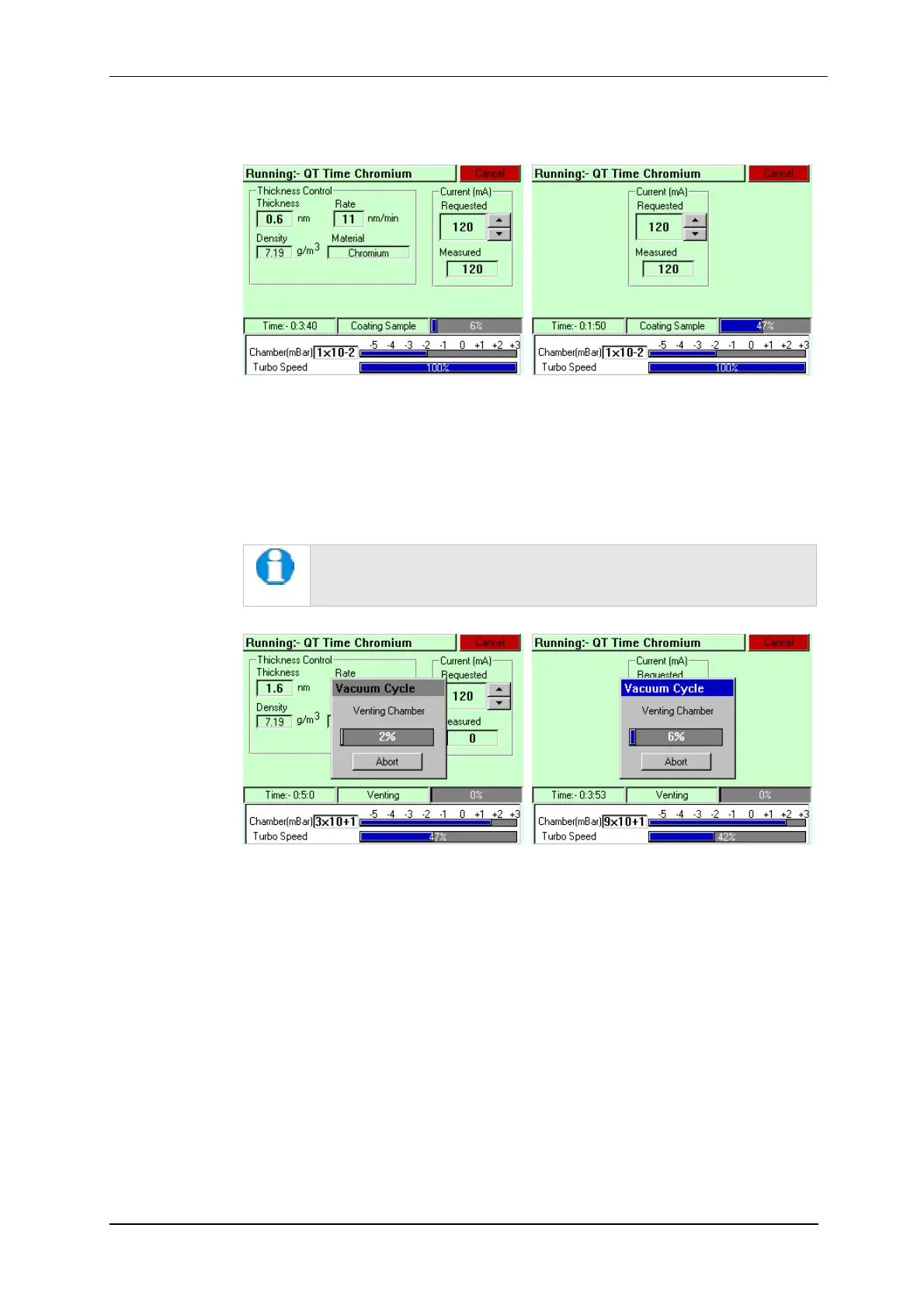
Figure 3-3. A run in progress: with FTM installed (left) and without FTM (right).
6. If you want to stop a run while it is in progress, tap on the Cancel button.
7. At the completion of the run, the Q150T begins to vent the chamber (see Figure
3-4). If you want to record thickness control or current information, make a note of
it now. When the chamber has been vented, the display reverts to the standby
screen (see Figure 3-1).
Future versions of the Q150T software will allow logging of thickness
control and profile parameters through the instrument’s network
communication capabilities.
Figure 3-4. Venting the chamber: with FTM installed (left) and without FTM
(right).
8. When the chamber has been completely vented, the display reverts to the standby
screen. You can now remove your sample and set up another run.


 To Next Page
 Loading...