Step 4. Perform system check
This section explains how to inspect the quality of measurements after configuring and
rebooting the WaveGuide system (the start-up process can take up to 5 minutes).
Step 4.1: Check system information
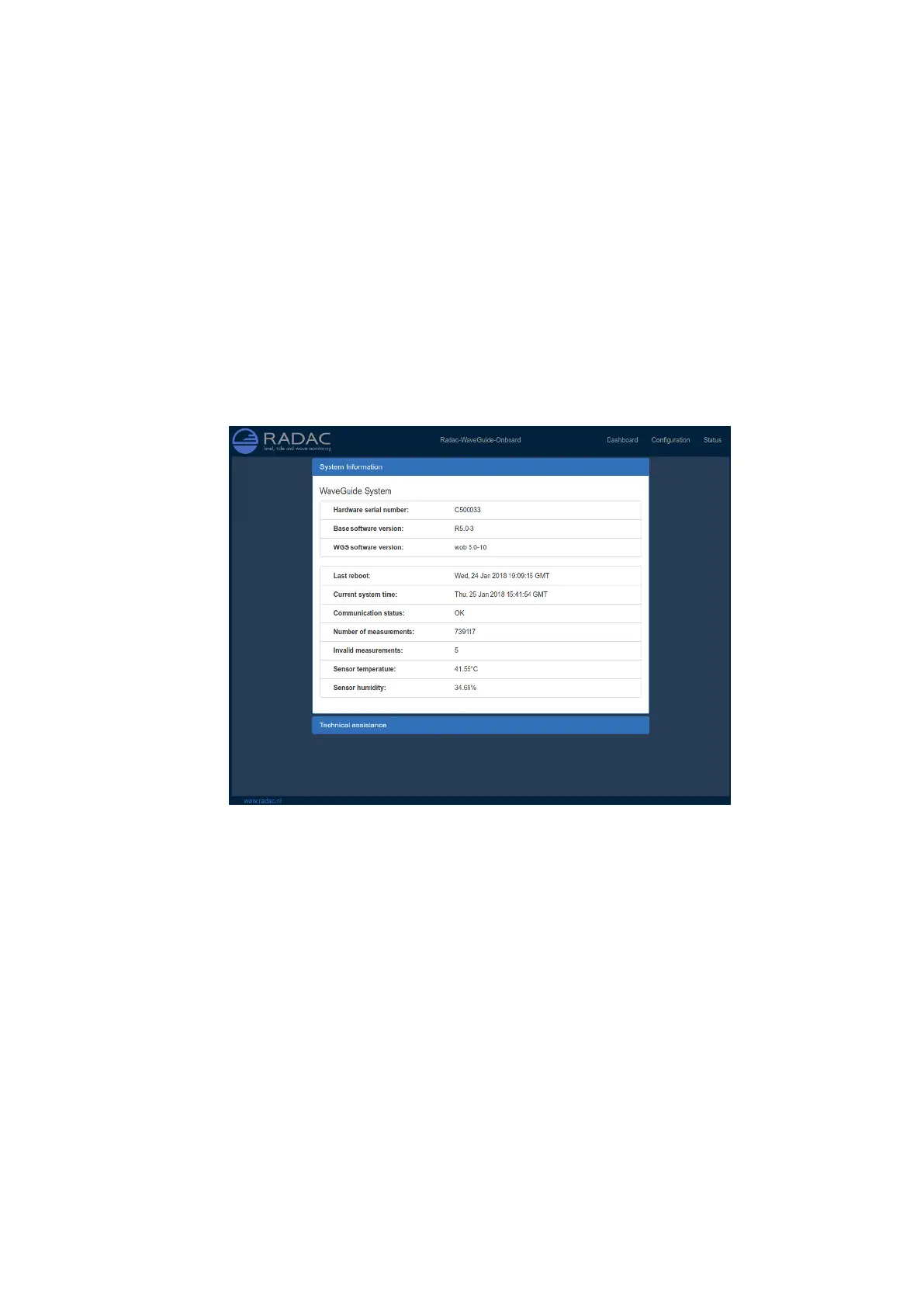
The system information table can be reached through the status menu item on the top-right
of the web interface. The system info page displays the communication status (as shown in
Fig. 3.5). A communication status "INIT" indicates that the WaveGuide system is starting
up. Once the system has started (a process that can take up to five minutes after power-up)
the displayed status becomes ’OK’.
Figure 3.5: System information.
In the same table, the ratio between the number of performed and invalid measurements
gives an indication of the system performance. When the system is set up in a correct man-
ner, the number of invalid measurements should be below 10% of the number of performed
measurements. However, during the start up and communication initiation processes the
number of invalid measurements can grow to over 100 (temporarily increasing the ratio
between invalid measurements and performed measurements). The number of invalid mea-
surements will show a slow increase after the initial invalid measurements.
21


 To Next Page