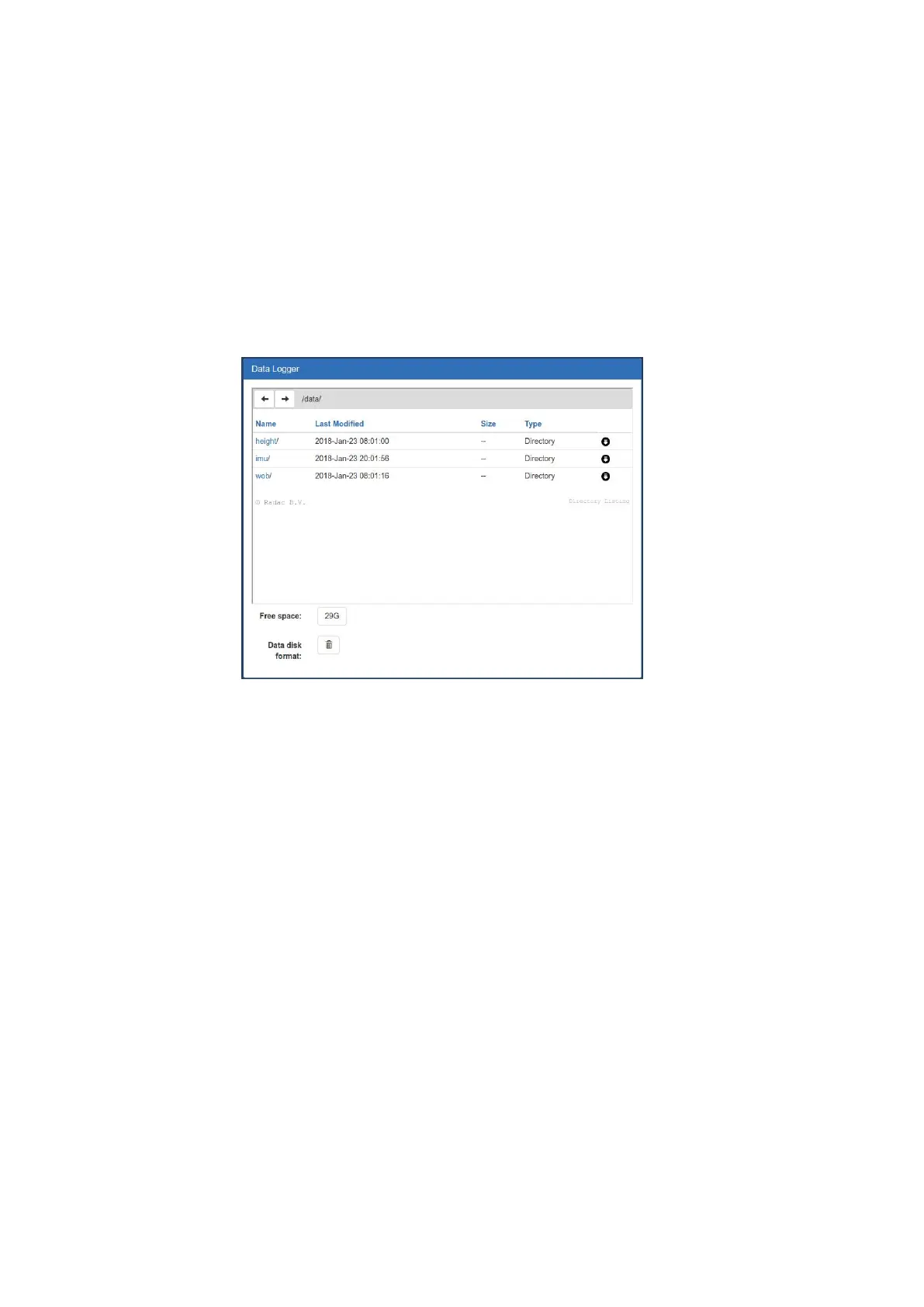
The ’Data Logger’ section of the configuration page in the web user interface (Fig. 4.1)
gives access to the stored data. Folders as well as individual files can be downloaded using
the corresponding download arrow buttons. Depending on the size of the log files, after
clicking a download button it can take up to 3 minutes for the system to compress the files
and start the transfer.
It is also possible to access and transfer the logged data using file transfer protocol by
using ftp://"system IP address". The Login name and password for FTP access are the
same as the user-name and password for modifying settings (by default both user-name
and password are ’radac’)
Figure 4.1: Data logger page.
The folder structure used for data logging is one directory per sub-system. In this directory,
sub-directories are created that contain the raw data and parameter files (one file per day
per parameter).
If the drive is full, a delete mechanism starts. This allows the system to store the most
recent parameters at the expense of the oldest data.
28


 To Next Page