16
© 2023 Radiacode Ltd.
Stand-alone use of the device
·
install the latest version of the Android application in the application store: Radiacode or download from
the link: https://space.radiacode.com;
If the device bootloader is version 4.0 or higher - it is possible to update the firmware via Bluetooth:
launch the application;
·
call the menu by pressing the button with three horizontal dashes on the top left;
·
select "Devices";
·
select Bluetooth communication interface and confirm by pressing the [OK] button;
·
after connecting the device, confirm the firmware update of the device;
·
wait for the download and update process to complete. The red LED will be on during the update
process.
If the device bootloader is lower than version 4.0 you will need a USB OTG adapter for your
smartphone:
·
connect the instrument with the cable and adapter to your smartphone;
·
Allow the RadiaCode app to be used with the connected device;
·
launch the app;
·
access the menu by pressing the button with three horizontal dashes on the top left;
·
select "Devices";
·
select the USB communication interface and confirm by pressing the [OK] button;
·
confirm the firmware update of the instrument;
·
wait for the update process to complete.
Attention! Do not turn off the instrument and do not disconnect the USB cable until the
process is complete!
Violation of the firmware update process may lead to instrument failure.
Please contact the service department to restore operation.
3.9 Menu usage
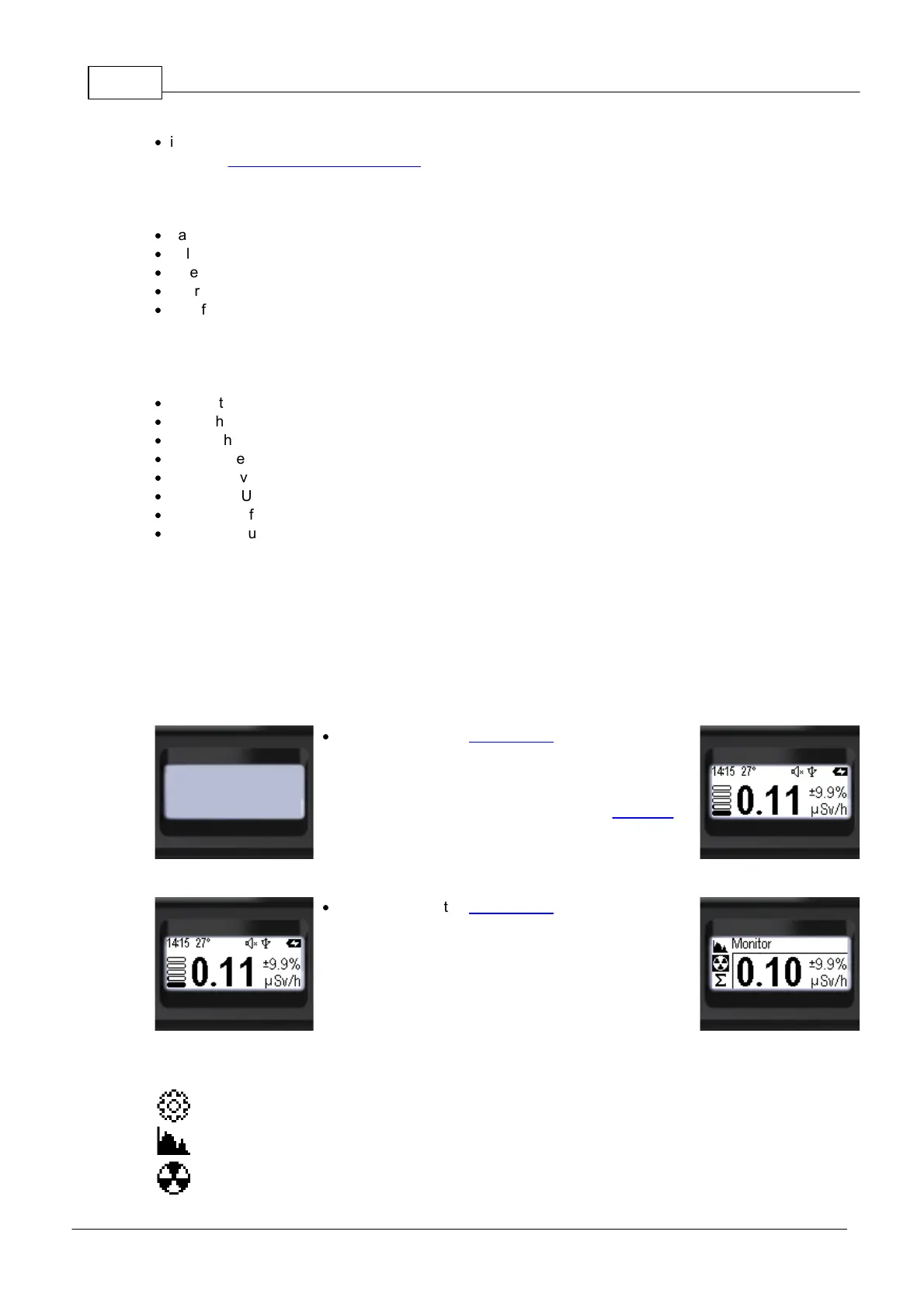
Let's take the state "The device is off" as the initial state.
·
Press and hold the round button until the instrument
turns on (at least 3 seconds);
o When turned on, the instrument will be in the Monitor
and display the dose rate;
o With the appropriate settings, the sound power on will
be played at this time.
o At appropriate settings at this moment the backlight
of the display will be turned on.
·
Press and hold the round button to move to the menu;
o The name of the current menu item will be displayed
at the top. (In this case it is "Monitor");
o The icons of the main menu items will be placed
vertically;
o The active item will be highlighted with a negative
icon.
There are seven menu items available on the main menu level.
Device settings - go to the submenu;
Photon radiation energy spectrum (gamma and X-ray) - display mode;
Dose rate, count rate - display mode;



 To Next Page