26
© 2023 Radiacode Ltd.
Stand-alone use of the device
·
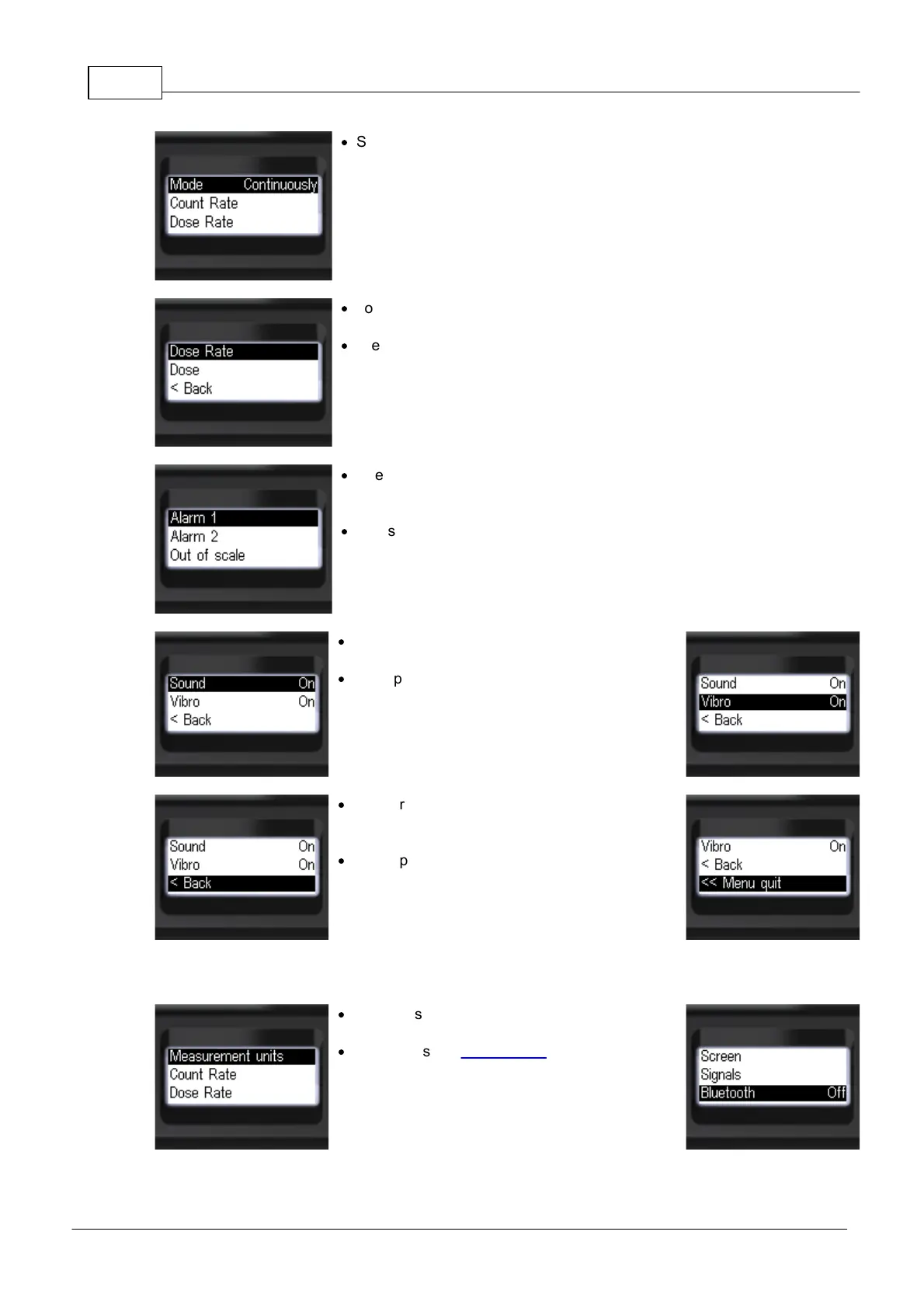
Short presses on the round button to select the
alarm indication mode
[One-shot] or [Continuous].
·
To select an alarm channel, move the focus to the
desired item, e.g. [Dose rate];
·
Press the round button briefly to confirm your
selection.
·
Briefly press the up/down swing buttons to move
the focus to the desired alarm level
[Alarm 1] or [Alarm 2];
·
Press the round button briefly to confirm your
selection.
·
Short press the up/down swing buttons to move
the focus to [Sound] or [Vibration];
·
Short press the round button to select
[On] or [Off];
·
To return to the previous level or exit the menu,
briefly press the up/down swing buttons to move
the focus to [< Back] or [<< Menu quit];
·
Briefly press the round button to confirm your
selection.
3.10.7 Bluetooth settings
·
Short press the up/down swing buttons to move
the focus to [Bluetooth];
·
Short press the round button to select the
Bluetooth wireless communication mode:
[On] or [Off];



 To Next Page