Stand-alone use of the device 27
© 2023 Radiacode Ltd.
·
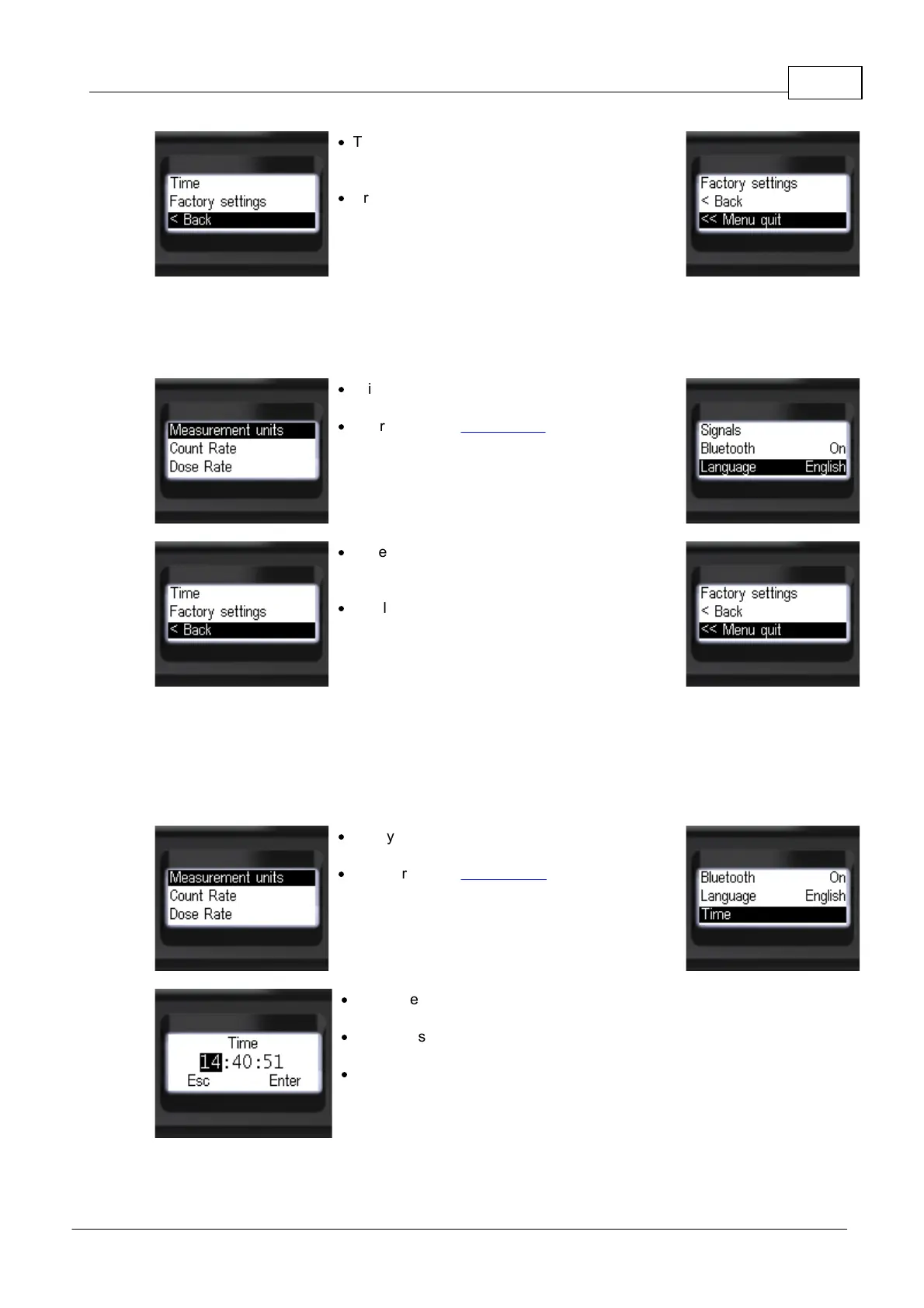
To return to the previous level or exit the menu,
briefly press the up/down swing buttons to move
the focus to [< Back] or [<< Menu quit];
·
Briefly press the round button to confirm your
selection.
3.10.8 Language selection
The device can support multiple languages for menus and messages.
·
Briefly press the up/down swing buttons to move
the focus to the item [Language];
·
Short press the round button to select the
instrument interface language: [English] or other
supported languages.
·
To return to the previous level or exit the menu,
briefly press the up/down swing buttons to move
the focus to [< Back] or [<< Menu quit];
·
Briefly press the round button to confirm your
selection.
3.10.9 Time settings
When connecting Radiacode-10X series The time on the device will be set automatically when you
connect it to your smartphone or computer.
Time setting is also available from the local menu of the device:
·
Briefly press the up/down rocker buttons to move
the focus to [Time];
·
Short press the round button to confirm your
selection.
·
Short presses on the round button to select the
desired time entry field;
·
Short press the up/down swing button to change
the value of the selected field;
·
To quickly change values - hold the up or down
swing button.



 To Next Page