Stand-alone use of the device 17
© 2023 Radiacode Ltd.
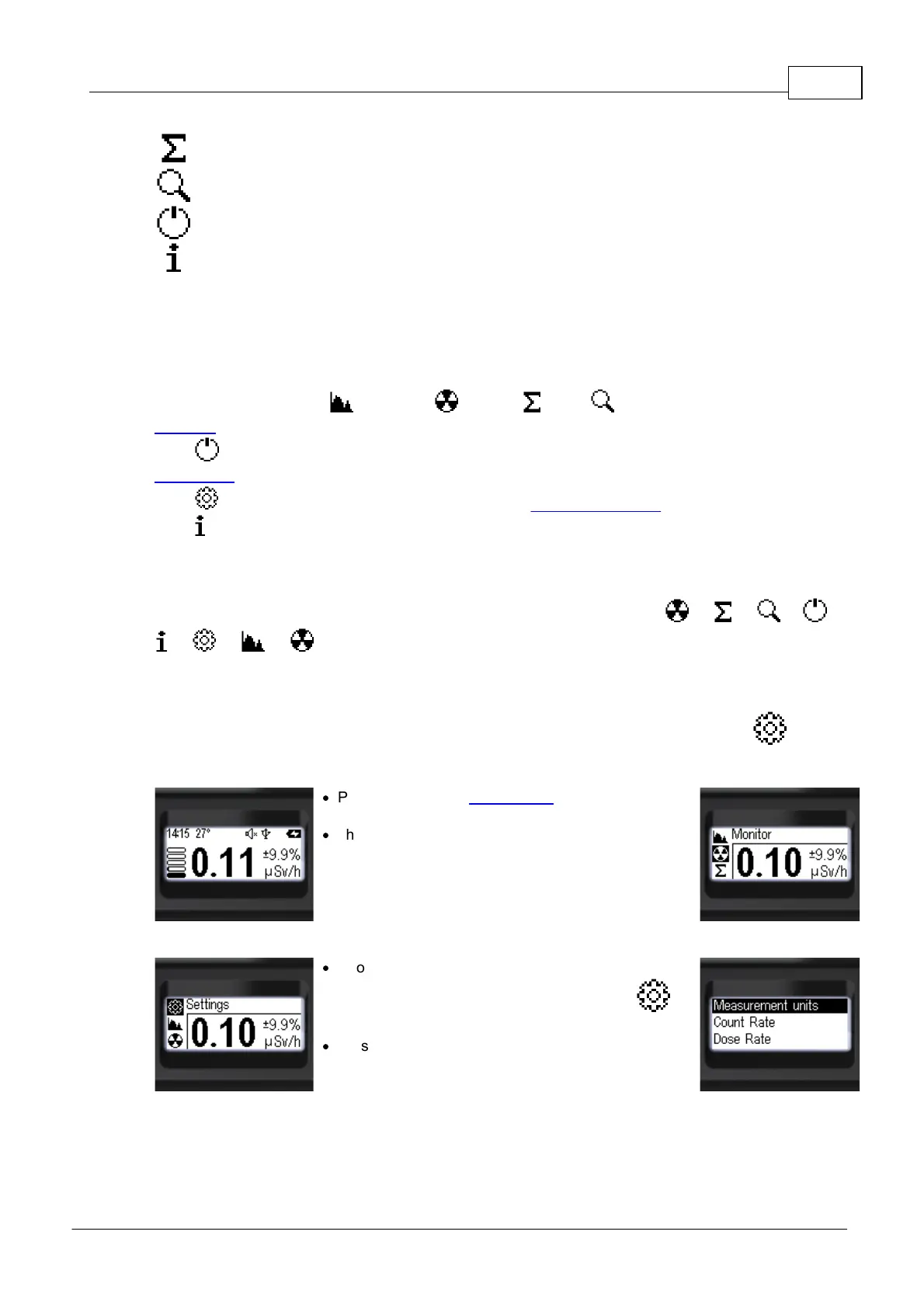
Accumulated dose - display mode;
Count rate search graph - display mode
Turning off the appliance is an action;
Serial number and software version information.
Use a short press on the up/down swing buttons to select the desired item. The selected item will be
highlighted with a negative icon. To confirm the selection, use a short press on the round button.
Only three selections are available on the instrument screen at a time, the others will become available
when the up/down swing buttons are pressed again.
Of the seven items, four [ Spectrum, Monitor, Dose, Search] give access to the
selection of the radiation situation display mode.
Item [ Power off] – is an action point, if it is confirmed with the round button, the instrument will be
switched off.
Item [ Settings] is used to go to the submenu of the instrument settings.
Item [ About device] is used to obtain information about the instrument number and firmware and
bootloader versions.
At all levels, the menu is arranged in a cyclical fashion. For example, on the main level, pressing the
down swing button moves the focus from item to item in the following order: --> --> --> -->
--> --> --> ...
3.10 Device settings
The instrument settings can be accessed from the corresponding instrument submenu –
"Settings".
·
Press and hold the round button until you reach the
menu;
·
The name of the current menu item will appear at the
top. (In this case it is "Monitor");
o The icons of the main menu items will be placed
vertically;
o The active item will be highlighted with a negative
icon.
·
Short presses on the upper swing button (or the lower
one, the menu is circular) focus on the item
"Settings";
·
Press the round button briefly to confirm access to
the "Settings" submenu.
Next, short presses on the up/down buttons of the swings can be used to move the focus to the desired
item and make the required settings.
This and deeper menu levels can be exited via [< Back] and [<< Menu quit].



 To Next Page