18
© 2023 Radiacode Ltd.
Stand-alone use of the device
Selecting units of measurement
Count rate - alarm levels
Dose rate - alarm levels
Dose - alarm levels
Display settings
Signals - sound, vibration, light
Bluetooth settings
Language selection
Time settings
Device info
Reset to factory settings
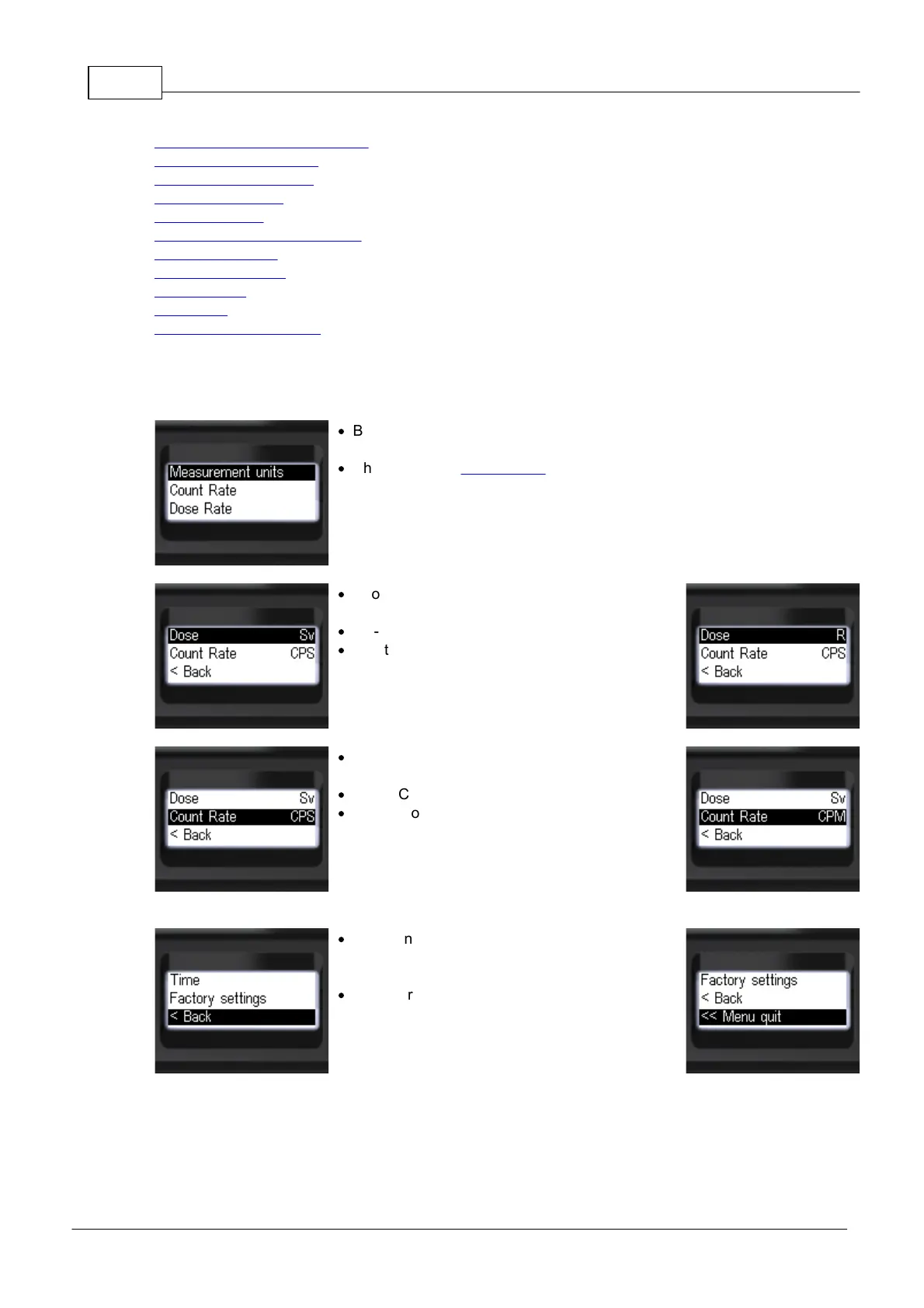
3.10.1 Selecting units of measurement
·
Briefly press the up/down rocker buttons to move
the focus to [Measurement units];
·
Short press the round button to move to
[Measurement units].
·
Short presses on the round button to select dose
rate measurement units:
·
Sv - Sievert or R - Roentgen;
·
Short presses on the up/down swing buttons
move the focus to the item [Count Rate].
·
Short presses on the round button to select the
units of count rate estimation:
·
CPS - Count Per Second;
·
CPM - Count Per Minute.
·
To return to the previous level or exit the menu,
briefly press the up/down swing buttons to move
the focus to [< Back] or [<< Menu quit];
·
Briefly press the round button to confirm your
selection;



 To Next Page