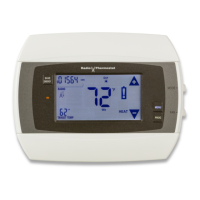
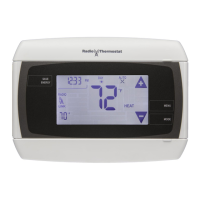
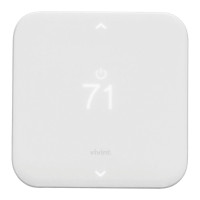
Screens
Before you operate the CT100, familiarize yourself with the
basic control screens. The touch screen enables you to select
(by touching) an item and change it. All the CT100 functions are
accessed through these screens:
Product Overview
CT100 Operation Guide
TARGET TEMP
ON
DAY
PM
F
LINK
RADIO
1
Tu
AUTO
HEAT
TIME OF DAY
AND RELATIVE
HUMIDITY
CURRENT
ROOM
TEMPERATURE
FAN MODE
AND STATUS
THERMOSTAT
MODE
TARGET
TEMPERATURE
TEMPERATURE
CONTROLS
HOME*
RADIO
INDICATOR
Home Screen
The Home screen displays when the unit is operating. Features
you can control on the Home screen are temperature override, fan
mode, toggling the time and relative humidity display, and opening
the Manual screen.
Touching the icon on other screens will return you to the
previous screen.
*Home icon visable of Home screen only in Off mode.
Product Overview
29


 To Next Page
 Loading...