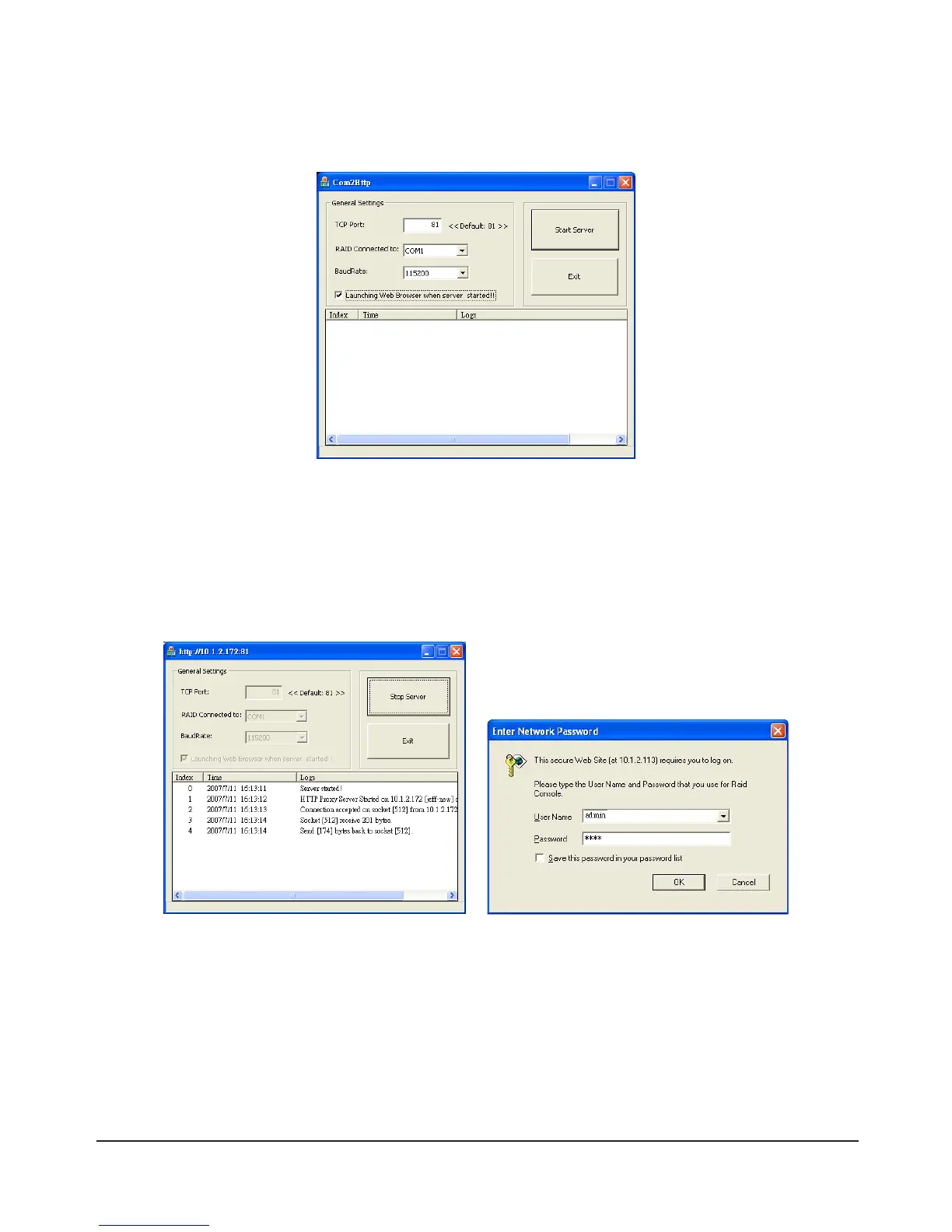
Once the installation is complete log in by referring to the following instructions:
1)Runthe“GUI-Com2Http”program,denethenecessarysettingsthencheckthe“LaunchingWeb
Browser when server started!” box.
Explanation of Settings
1. TCP Port: A value between 1~65535. The default is 81.
2. RAID Connected to: COM1, COM2, COM3… etc.
3. BaudRate: 1200 ~ 115200. The default is 115200.
2) Click “Start Server” and the program will automatically search for the SR6600 and display the
relevant information. Once the SR6600 has been found a separate login window will appear.
Default Account: admin Default Password: 0000



 To Next Page