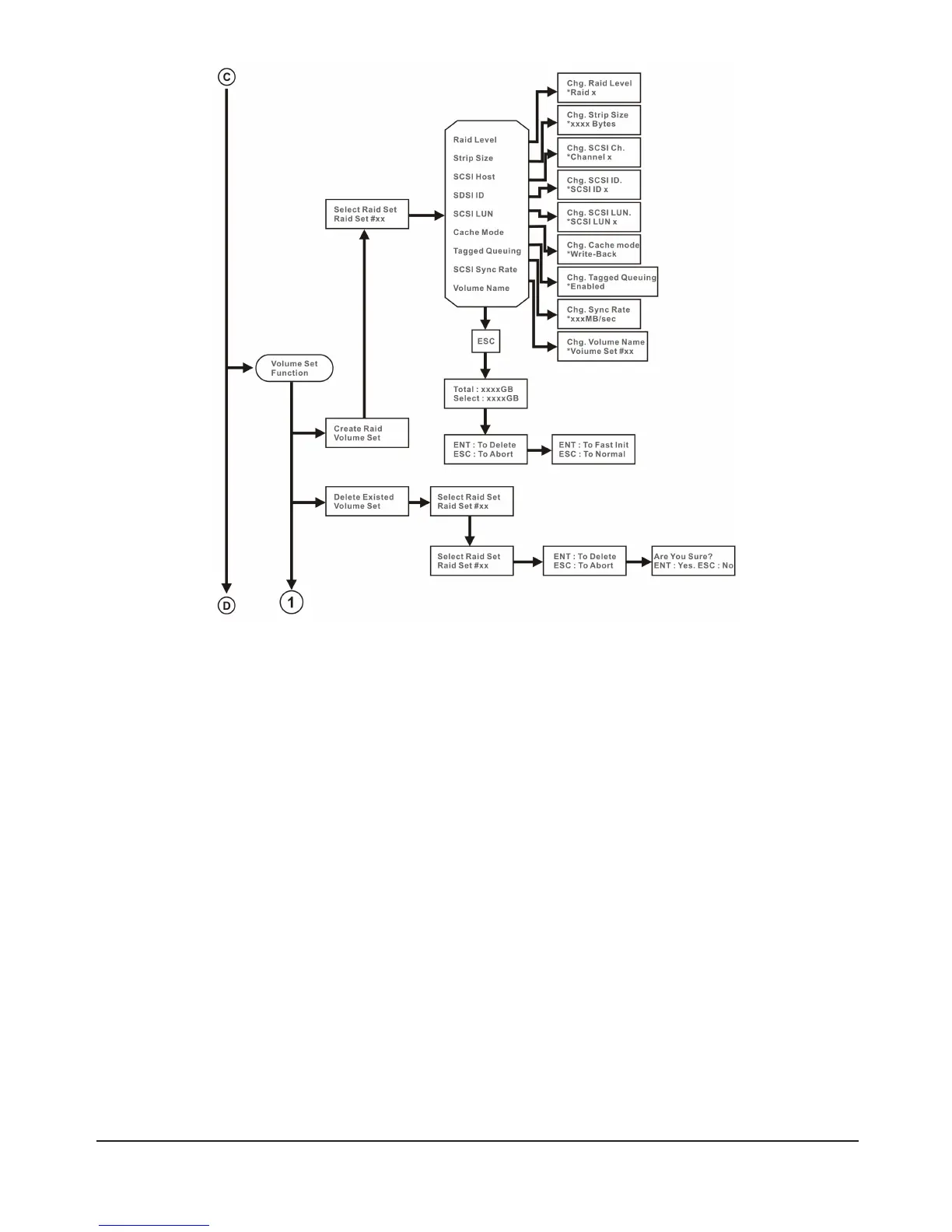
2.4.1.1 Volume Name
The default volume name will always appear as Volume Set. #. You can rename the volume set name
providing it does not exceed the 15 characters limit.
2.4.1.2 RAID Level
The SR6600 series supports RAID0, 1+0, 1+0+Spare, 3, 3+Spare, 5, 5+Spar, 6, 6+ Spare
2.4.1.3 Strip Size
Youcanselect4K,8K,16K,32K,64Kor128K.Ifyouregularlyreadorwritelargeles(e.g.mpegvideo
les)thenyoucanuse128Kforbetterperformance.Ifyoumainlyworkwithsmallerdocumentles,4K
will offer better performance.
2.4.1.4 Cache Mode
This can be set to Write-Through or Write-Back mode. In Write-Through mode the Cache will process
commands in the order that they arrive in. Under Write-Back mode, the commands will be sorted by
priority before processing. Write-Back mode will generally offer better performance than Write-Through
mode.



 To Next Page