Chapter 1 System Login
After completing the hardware installation process you must then set the RAID Level and Volume, or the
SR6600willnotberecognizedbythecomputer.Youcanlogintothesystemtoperformcongurationand
administration tasks using any of the three following methods:
•The LCD control panel mounted on the device
•Through a RS232 connection (VT100)
•Through the LAN Port using the Web GUI
Once the administrator has logged into the system through one of these three methods they can
congurethediskarraysettings.Thedefaultloginpasswordis:0000
1.1 LCD Control Panel Login
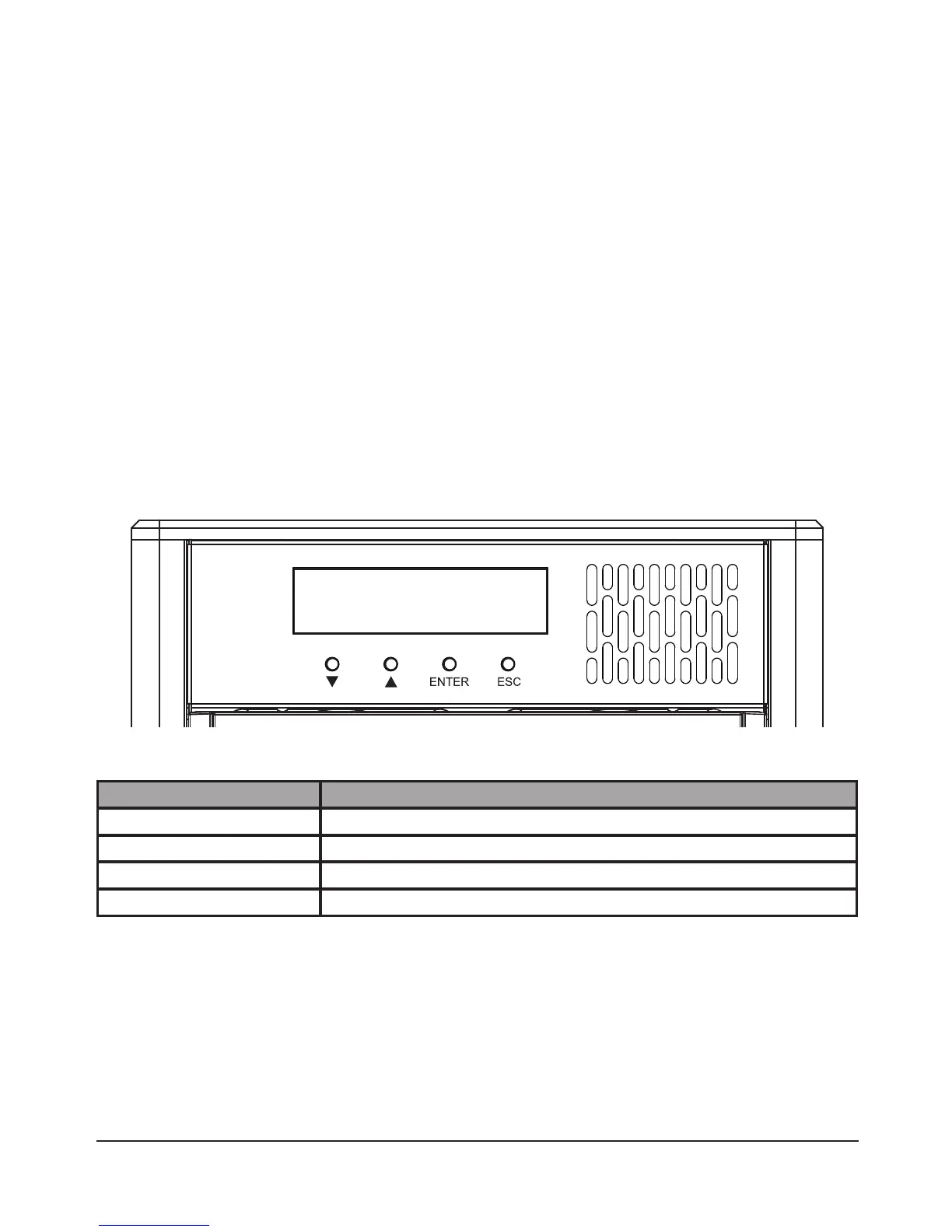
The LCD control panel mounted on the SR6600 is the primary user interface. You can manage and setup
the entire system using the LCD display and the four control buttons below it without using any other
hardware or software. The LCD panel can display all system information, status and settings. With the
exception of “Firmware Update”, all other functions can be controlled through the LCD control panel.
Function Button Description
Button Function
Up Move Up/ Right Select
Down Move Down/ Left Select
ENTER ConrmSelection
ESC Cancel Selection or Back
You can use the “Up” and “Down” function buttons to select or browse the available functions, use
“ENTER” to select or access the relevant settings, and the “ESC” button to exit the settings or return to
the next higher level directory. For an explanation of the functions please refer to Chapter 2.



 To Next Page