Appendix C SR6600 Series Firmware Update
Process
1)Therearetwomethodstoupgradethermwareversions.Onewayisupgradedbyserial(RS232)cable
to run, the other way is upgraded by LAN to run.
2) From RS232 Cable
Please connect SR6X00 and PC by serial (RS232) cable, then install the software”Com2Http” included
in the CD .
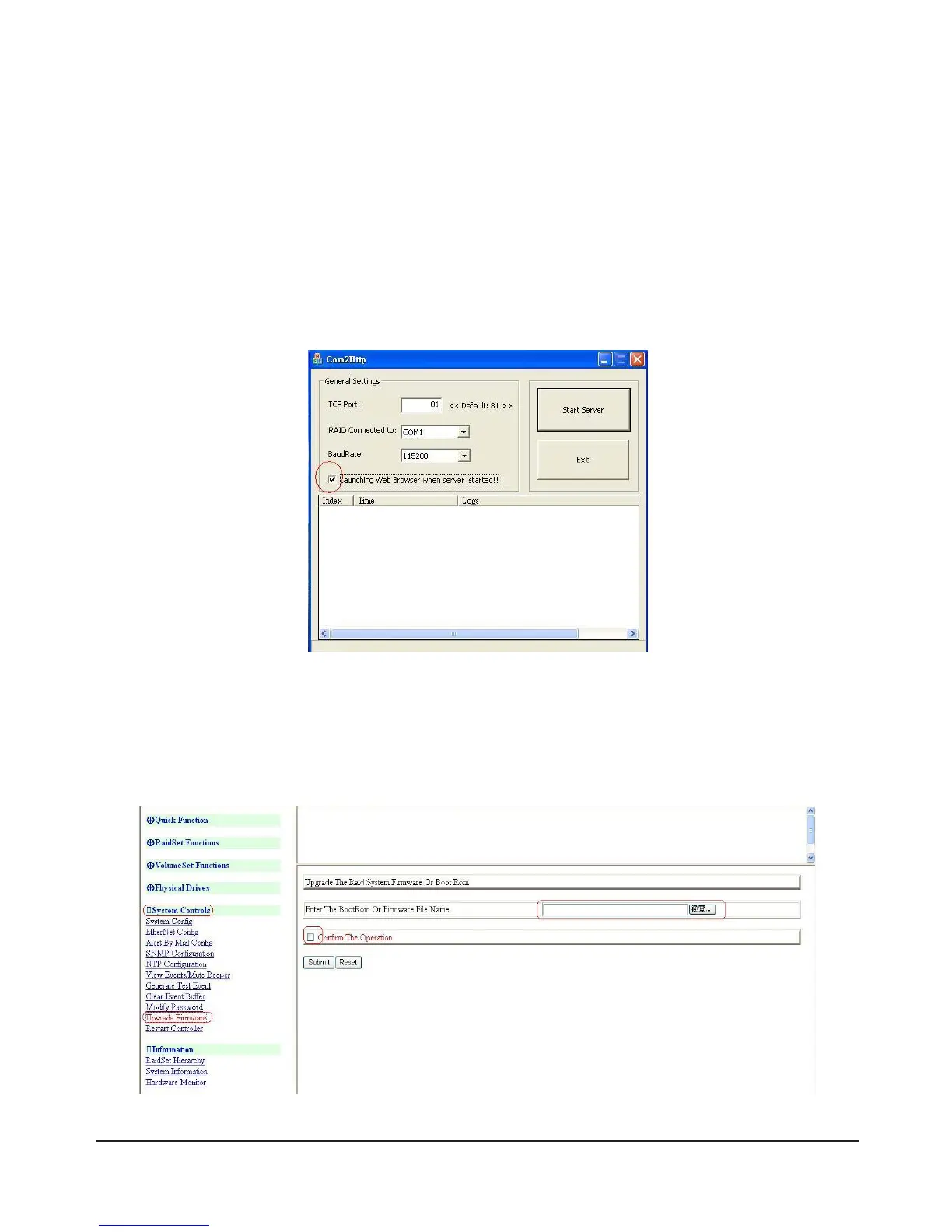
3)Runthe”Com2Http”asbelowgure.
4)Thenrunthewebbrowsermanagertochoosetheitemsasbelowgure.TheSystemwillrequestID
and Password, to enter below.
Name =admin
Password =0000
Click: System Controls >> Upgrade Firmware



 To Next Page