5)Therearetwormwareversionshavetobeupgraded.
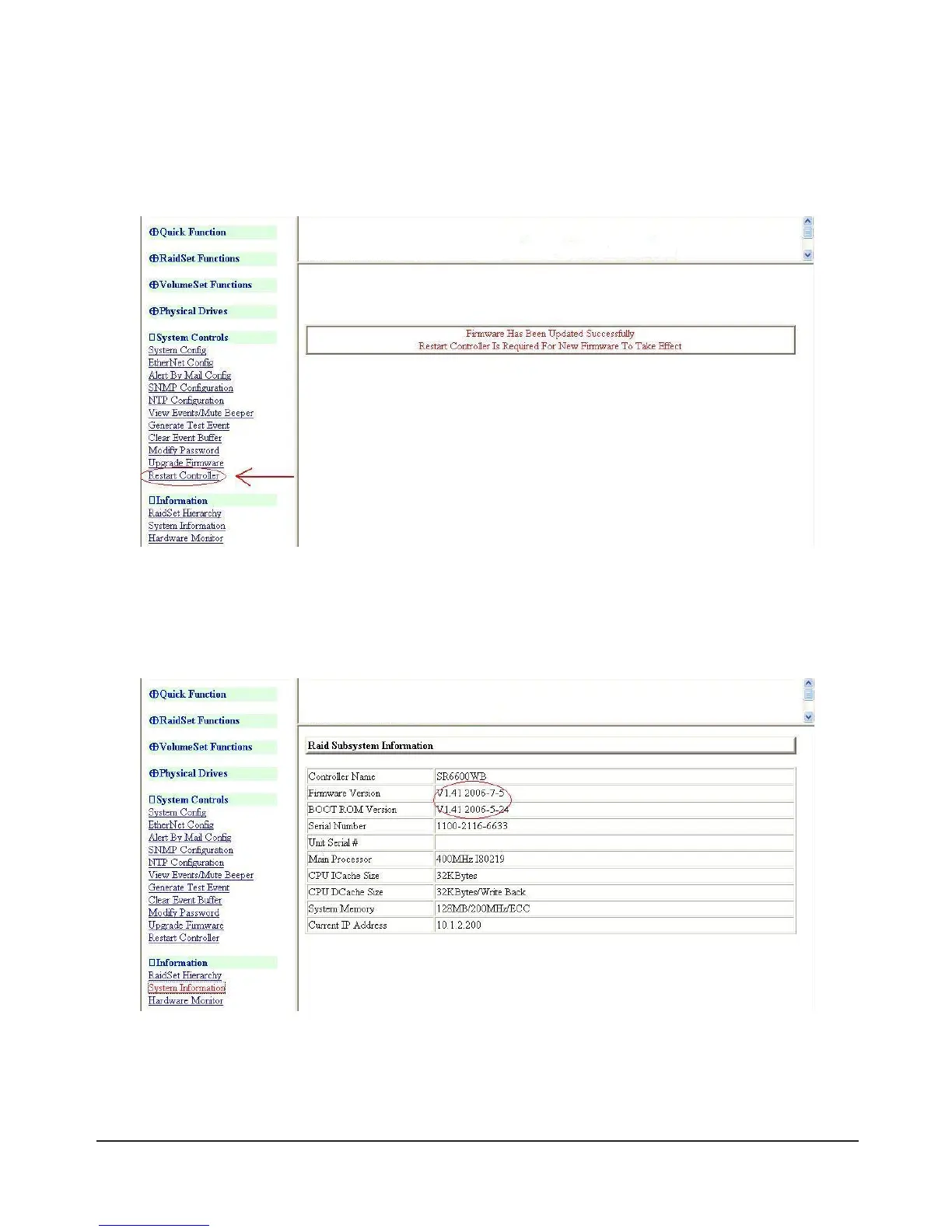
Firststep,pleaseselectthermware“ARC****BOOT.BIN”torun.Afterthermwareupgradeis
complete, a bar indicator will show “Firmware Has Been Updated Successfully” and you need to
choosetheitem“RestartController”torunasbelowgure.
6) Restart SR6600
Secondstep,pleaseselectthermware“ARC****FIRM.BIN”torunjustlikeabove.
Thirdstep,pleaseselectthermware“ARC****MBRO.BIN”torunjustlikeabove.
7)Choosetheitem“SystemInformation”andcheckthermwareversionsyouupgradedisnewestornot.
8) From LAN port upgrade:
IfyouwanttoupgradermwareversionsbyLAN,pleasemakesuretheSR6600andothercomputers
are in good communication.



 To Next Page