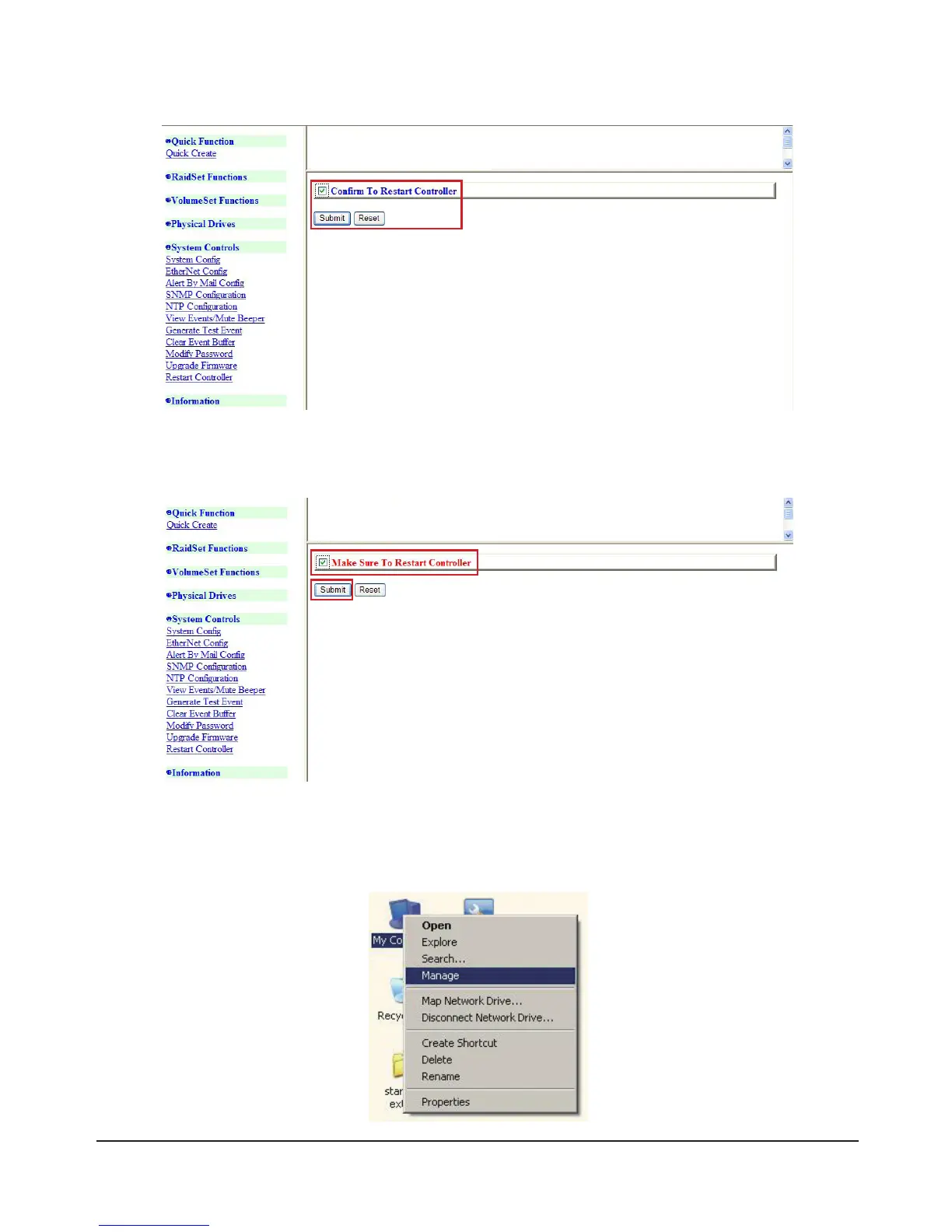
6) Click “Restart Controller”, and the following screen will appear. Check the option in the red box, and
then click “Submit”
7) After this screen appears, check the option in the red box again, and then click “Submit”.SR6600 will
restart, and the setup of SR6600 is completed.
8) Connect SR6600 with Computer
9) To format the hard disk, please right-click the “My Computer” icon and then select “Manage”



 To Next Page