ESP-2WIRE Controller
13
Optional Features
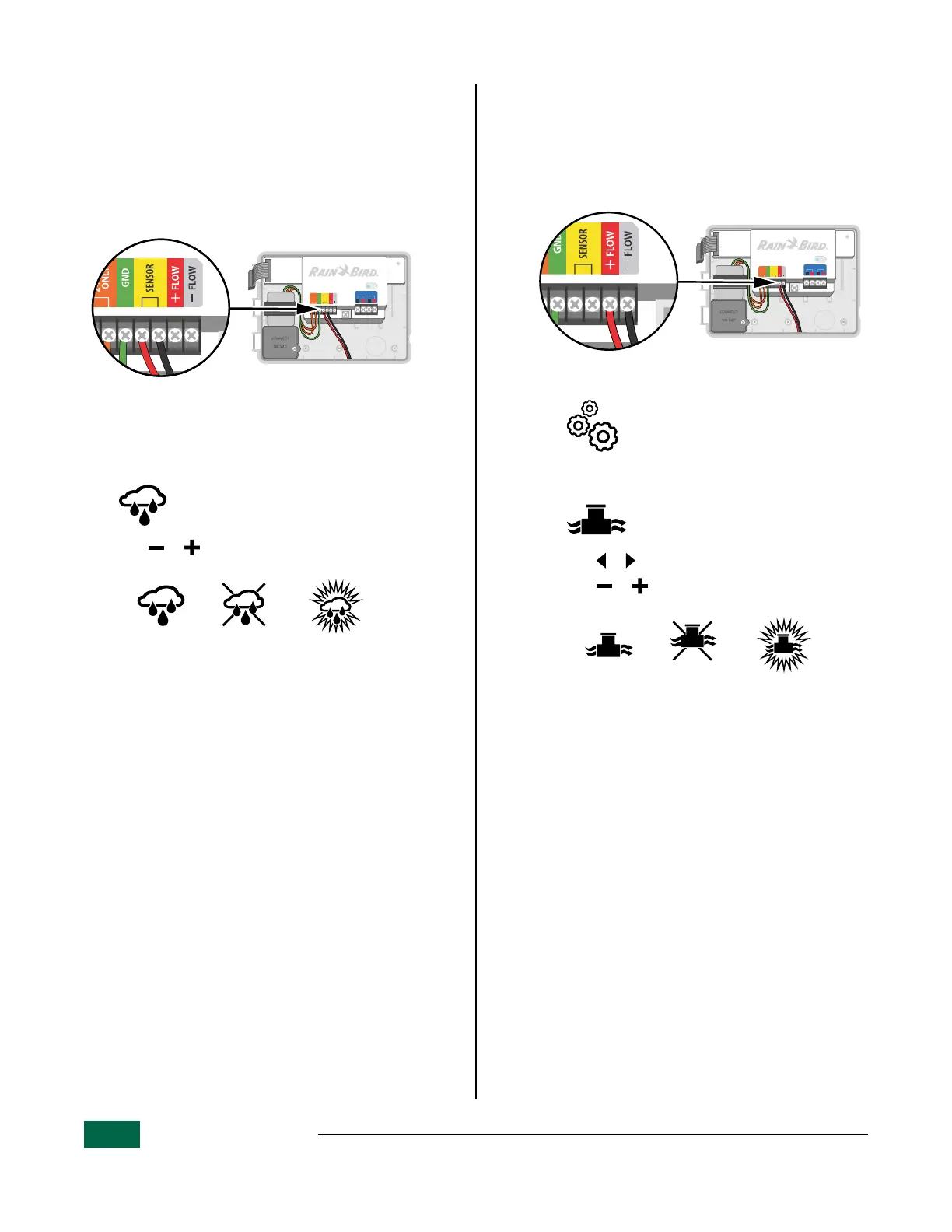
Connect Weather Sensor
a
Connect both rain sensor wires to the SENSOR
terminals as shown.
B
NOTE: Remove the yellow jumper wire before
connecting sensor wires.
STATUS
FLOW
FLOW
GND
24VAC
ONLY
SENSOR
PATH 1PATH 2
AB AB
Weather Sensor Connection.
Weather Sensor Settings
Set the controller to obey or ignore a weather
sensor.
Turn the dial to:
Weather / Flow Sensors
a
Press or to select SENS ON (sensor on) or
SENS OFF (sensor off).
Sensor ON Sensor OFF Rain detected
(flashing)
Connect Flow Sensor
a
Connect both flow sensor wires to the FLOW
terminals, as shown. Be sure to connect the
positive (sometimes red) sensor wire to the
red (+) terminal and the negative (sometimes
black) sensor wire to the gray (-) terminal.
STATUS
FLOW
FLOW
GND
24VAC
ONLY
SENSOR
PATH 1PATH 2
AB AB
Flow Sensor Connection.
If using the LNK2
TM
WiFi Module
and the Rain Bird app, turn on
Flow Sensor and learn flow in
the controller settings.
Without Rain Bird app:
Turn the dial to:
Weather / Flow Sensors
a
Press or to select FLOW sensors.
b
Press or to select SENS ON (sensor on) or
SENS OFF (sensor off).
Sensor ON Sensor OFF Flow detected
(flashing)


 To Next Page