EN
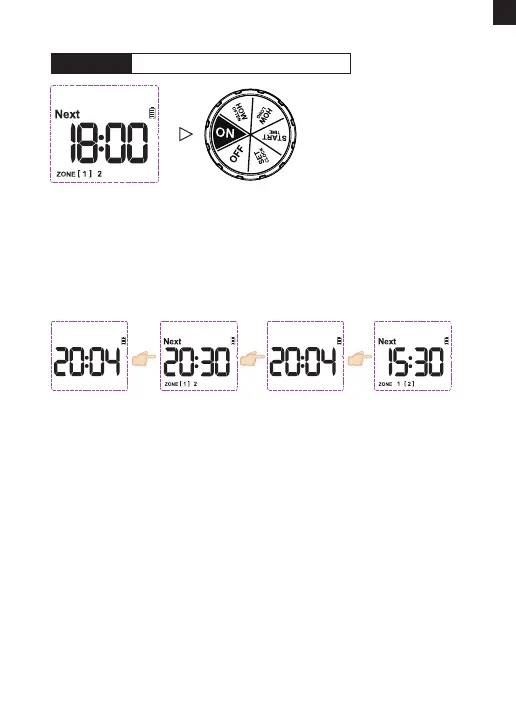
1) Turn dial to "ON".
2) The LCD screen will display the current time and the next watering
sta time in Zone 1, and then display the current time and the next
watering sta time in Zone 2.
NOTE: The automatic watering program will only run when the dial is in
the ON position.
CONGRATULATIONS! Your timer has now been programmed
successfully! lt will automatically sta watering based on the
programmed sta time, duration and frequency.
Now you can keep the faucet open and trust the timer to water!
AUTOMATIC WATERINGSTEP 5:
Current time Current timeNext watering
sta time in Zone 1
Next watering
sta time in Zone 2
- 10 -



 To Next Page