EN
PROGRAMMING THE TIMER
UNDERSTANDING ZONES
This is a two-zone timer that allows you to water two dierent areas
from the same faucet. Each zone can be programmed with independent
sta time, duration and frequency.
TIPS: When the setup of this STEP is nished, please turn the dial to
save the changes instead of press the "OK" button. lf you press the "OK"
button after setting, it will return to the previous setting instead of
saving it.
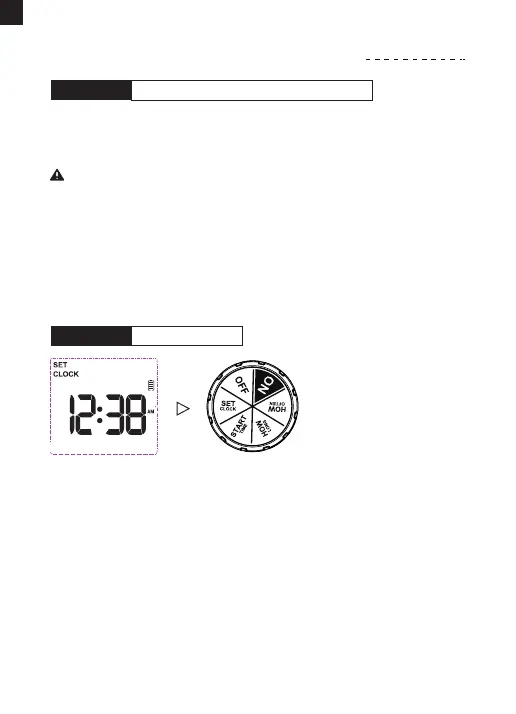
1) Turn the dial to "SET CLOCK". Use "+" or "-" button to select
24-hour or 12-hour format and press "OK" button to conrm.
2) Use "+" or "-" button to set the current exact time. lf you choose the
12-hour format, please note the AM and PM.
3) Use the "OK" button to conrm and switch between hours or
minutes.
4) Turn the dial clockwise to save the changes in this STEP and go to
the next STEP.
1) Keep ZONE 1 and complete the settings, following the steps 1-4
below. Then turn the dial to "ON" to save the changes.
2) Press "ZONE" button to select ZONE 2, and follow steps 2-4 to set
up. Turn the dial to "ON" to save all the plans.
Note: Dual zones operating simultaneously have lower water
pressure than single zone because the water pressure is divided
between the two zones.
Please design the program for each ZONE separately.
STEP 0:
SET CLOCKSTEP 1:
- 07 -



 To Next Page