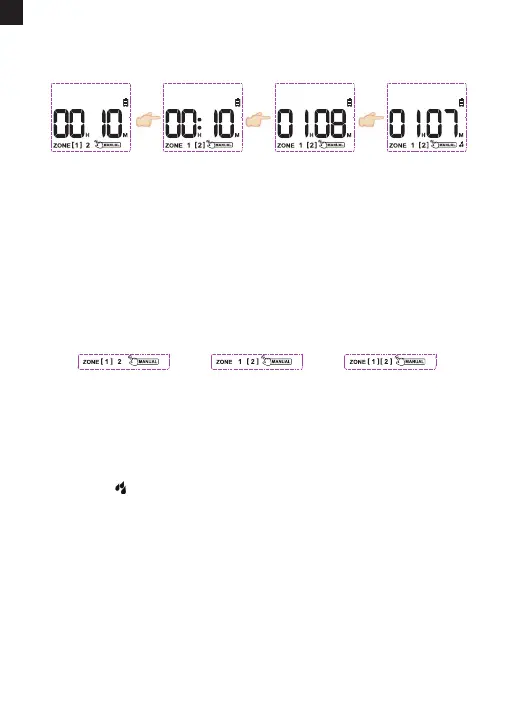
4) Use the "+" or "-" button to adjust the manual watering time from 1
minute to 8 hours. (Press and hold the "+" or "-" button to quickly
increase or decrease the time.)
5) Press the "OK" button immediately when the screen ashes to
conrm and sta the manual watering. The screen will show the
pattern and the remaining time for manual watering.
6) To stop the manual watering, hold the "MANUAL" button for 3-5s to
exit the manual watering mode and restore the original watering
program.
EN
This function allows you to manually water without interrupting your
set watering schedule. To access this feature, please follow the steps
below.
1) Turn the dial to "ON".
2) Press and hold the "MANUAL" button for 3-5s to enter the Manua
Watering Mode.
3) Press the "ZONE" button to select which zone you want to use.
NOTE: Please remember to press the "OK" button after setting the
manual watering time to sta manual watering. Otherwise, the manual
watering setting will be automatically exited after the screen ashes
for about 3-5s.
Turn the dial to
"ON", press and
hold the
"MANUAL" button
Press the "ZONE"
button to select
the zone to be
watered
Press the "+" or "-"
button to adjust
the manual
watering time
Press the "OK"
button to sta
manual
watering
MANUAL/HAND WATERING
Zone 1 only Zone 2 only Zone 1 and Zone 2
- 13 -



 To Next Page